EasyManua.ls Logo

GiBiDi BE24 - User Manual

GiBiDi BE24
60 pages
Go to English
Print Icon
To Next Page IconTo Next Page
Loading...
IT UK
BE24
FR ES NL
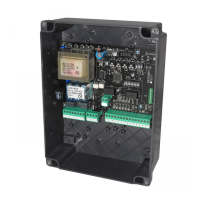
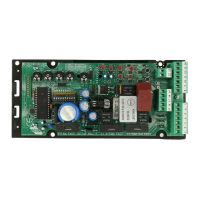
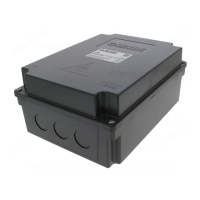
BE24 - (AS05870)
Apparecchiatura elettronica
ISTRUZIONI PER L’INSTALLAZIONE
Electronic control unit
INSTRUCTIONS FOR INSTALLATION
Platine électronique
INSTRUCTIONS POUR L’INSTALLATION
Equipo electrónico
INSTRUCCIONES PARA LA INSTALACIÓN
Elektronische besturing
GEBRUIKSAANWIJZING VOOR DE INSTALLATIE

Questions and Answers

GiBiDi BE24 Specifications

General IconGeneral
BrandGiBiDi
ModelBE24
CategoryControl Unit
LanguageEnglish

Summary

Technical Specifications

Technical Specifications and Functions

Installation Warnings

Warnings for the User

Electrical Connections: Connectors

Electrical Connections: Terminal Boards

Protection Fuses

Warning LEDs

DIP Switch DIP1 Settings

AUTOMATIC OPERATION

Configures START command response: opens, uninfluential, or reloads closing time.

STEP-BY-STEP WITH STOP

Configures START command response for step-by-step operation with stops.

TERMINAL 21 AS 8 K2 EDGE

Sets operation for Terminal 21 (8K2 EDGE) for gate movement inversion.

TERMINAL 21 AS 8 K2 STOP

Sets operation for Terminal 21 (8K2 STOP) for gate stopping.

ANTI CRUSHING SENSITIVITY

Adjusts the sensitivity level for the anti-crushing function.

PAUSE TIME

Configures automatic closing and pause time settings.

DIP Switch DIP1 Settings Continued

PRE-FLASHING

Enables pre-flashing of 3 seconds before motor activation.

GATE PHASE SHIFT TIME

Sets delay times for motors during opening and closing.

WATER HAMMER

Enables water hammer function for electric lock release.

DIP Switch DIP2 Settings

DECELERATION SPEED

Adjusts deceleration speed to 50% or 30% of maximum speed.

MOVEMENT SPEED

Sets normal movement speed to 100% or 80% of maximum speed.

FAST CLOSING

Enables fast closing function, reduces stand-by time.

DIP Switch DIP2 Settings Continued

FUNCTIONING MODE

Selects between ENCODER and TIME mode for operation.

ANTI CRUSHING FUNCTION

Activates or disables the anti-crushing function.

SPIA; FLASHING LIGHT

Configures terminals M2_7 and M2_8 for warning or flashing light.

DIP Switch DIP3 Settings

START COMMAND ALLOCATION

Assigns START command to transmitter buttons.

PEDESTRIAN COMMAND ALLOCATION

Assigns PEDESTRIAN command to transmitter buttons.

Onboard Radio Receiver Control

Gate Travel Learning Procedure

Related product manuals