Need help?
Do you have a question about the Giesecke & Devrient ProNote 1.5 and is the answer not in the manual?
Lists all related manuals for the ProNote 1.5/1.5F system.
Identifies the intended users of this manual.
Describes the organization and main topics covered in the manual.
Explains formatting, symbols, and text styles used in the manual.
Explains the meaning of general safety symbols.
Details symbols for specific dangers and associated risks.
Covers essential safety practices for product operation.
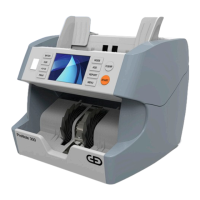
Introduces the ProNote 1.5/1.5F and its capabilities.
Identifies physical components on the front and rear of the machine.
Details the layout and functions of the device's control panel.
Explains the purpose and functionality of each control panel key.
Describes the features and interactions of the touchscreen.
Lists and explains the various operational counting and sorting modes.
Provides instructions for proper banknote preparation before use.
Details guidelines and safety precautions for transporting the machine.
Provides instructions for safely removing the machine from its packaging.
Guides the user through the setup and connection process.
Explains the procedures for proper disposal of the machine and packaging.
Procedure for powering the banknote processing machine on and off.
Describes how to select between different user profiles for operation.
Details the process of counting and sorting banknotes using various modes.
Guides the user on how to select the desired currency for processing.
Explains how to choose between different operational modes for banknote processing.
Describes how to accumulate counting results for cumulative totals.
Covers how to review deposit information and perform manual reconciliation.
Details the procedure for printing various operational reports.
Step-by-step guide to access the user menu for settings.
Provides an overview of available settings and their descriptions.
Configures print key settings and communication options like AUTO-PRINT.
Describes how to save settings for up to four different users.
Adjusts the banknote processing speed and noise level.
Enables or disables specific counting and sorting modes.
Sets up network parameters for connectivity and data transfer.
Procedures for accessing the lower and upper transport sections.
Detailed instructions for cleaning internal and external components.
Guide on how to adjust the feed gap to resolve note feeding issues.
Step-by-step guide to remove jams from the upper section.
Step-by-step guide to remove jams from the lower section.
Lists common error messages encountered during the counting process.
Details error messages that may appear after the self-test routine.
 General
| Speed | 1, 500 notes per minute |
|---|---|
| Hopper capacity | 500 notes |
| Counterfeit detection | UV, MG, IR |
| Connectivity | RS232, USB, Ethernet |
| Power Supply | 100 – 240 V, 50/60 Hz |

 To Next Page