Need help?
Do you have a question about the Giesecke & Devrient ProNote 300 and is the answer not in the manual?
Describes other manuals for ProNote 300 system operating instructions.
Defines the intended audience for this user manual.
Outlines the topics and organization of the manual.
Explains formatting and symbols used throughout the document.
Presents general symbols used for safety information and hazard identification.
Details specific symbols indicating hazards like electric shock or tripping.
Provides general safety guidelines and information for hazard-free product use.
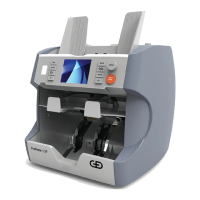
Introduces the ProNote 300 as a banknote counter and counterfeit detector.
Covers important guidelines for maximizing product durability and safety.
Illustrates and labels the physical components of the machine.
Describes the functions of the control panel, including display and keys.
Explains the different modes available for counting banknotes.
Provides instructions on how to prepare banknotes before counting.
Covers important information and safety precautions for transporting the machine.
Details the steps for safely unpacking the ProNote 300 and its accessories.
Guides on how to install and connect the banknote processing machine.
Explains the procedure for powering the machine on and off.
Covers procedures for counting and sorting banknotes using various modes.
Describes how to choose the currency for processing banknotes.
Guides on how to select the desired counting or sorting mode.
Explains how to accumulate counting results until cleared.
Details how to set a specific quantity of notes for batch counting.
Explains how to adjust settings to minimize noise and counting speed.
Shows how to view detailed counting results by denomination.
Guides on how to print a detailed report of the counting results.
Explains how to initiate counting and clear previous results.
Introduces the user menu for configuring machine settings.
Provides steps to navigate and access the user menu.
Explains how to assign functions to F1 and F2 keys for shortcuts.
Describes how to save user preferences for future use.
Guides on setting the date and time display format.
Explains how to adjust the banknote counting speed.
Shows how to display hardware and software version details.
Guides on enabling or disabling audible alarms and button sounds.
Reserved for software engineers for serial port communication.
Describes how to change the display language of the interface.
Details how to set up network parameters like IP addresses and ports.
Explains how to check the network connection status.
Guides on setting automatic or manual banknote feeding.
Explains how to set or disable a delay for menu buttons.
Describes how to enable the ADD function for accumulating results.
Used for refreshing software and restoring default parameters.
Guides on setting a unique identifier for the machine's station.
Details how to assign a number to the banknote bags.
Explains how to set a unique identifier for the cashier.
Provides instructions for calibrating the touchscreen display.
Describes how to open and close the machine's transport section for access.
Provides detailed steps for cleaning the machine to prolong its life.
Explains how to adjust the feeding gap to resolve counting issues.
Guides on how to replace the machine's fuse safely.
Lists and explains various error messages encountered during operation.
Details error messages that occur during the machine's self-test.
Addresses issues related to incorrect note recognition due to sensitivity settings.
 General
| Brand | Giesecke & Devrient |
|---|---|
| Model | ProNote 300 |
| Category | Banknote Counter |
| Language | English |

 To Next Page