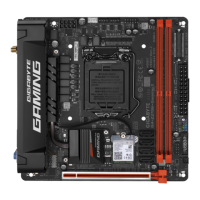
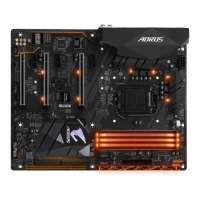
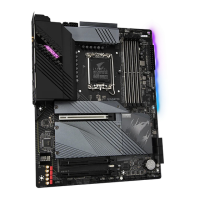
HDMI Port
TheHDMI portsupports HDCP2.3and DolbyTrueHDand DTS HD Master
Audioformats. It also supports up to 192KHz/16bit 7.1-channel LPCM audio
output.YoucanusethisporttoconnectyourHDMI-supportedmonitor.Themaximumsupported
resolutionis4096x2160@30 Hz, butthe actual resolutionssupportedare dependent onthe monitor
being used.
ActivityLEDConnection/SpeedLED
LAN Port
Connection/SpeedLED:
State Description
Orange 1 Gbps data rate
Green 100 Mbps data rate
Off 10 Mbps data rate
ActivityLED:
State Description
Blinking Datatransmissionorreceivingisoccurring
On No data transmission or receiving is occurring
USB 3.2 Gen 1 Port (Q-Flash Plus Port)
TheUSB3.2Gen1portsupportstheUSB3.2Gen1specicationandiscompatibletotheUSB2.0
specication.UsethisportforUSBdevices.BeforeusingQ-FlashPlus
(Note)
, make sure to insert the USB
ashdriveintothisportrst.
Center/Subwoofer Speaker Out (Orange)
Use this audio jack to connect center/subwoofer speakers.
Rear Speaker Out (Black)
Use this audio jack to connect rear speakers.
Side Speaker Out (Gray)
Use this audio jack to connect side speakers.
Line In (Blue)
The line in jack. Use this audio jack for line in devices such as an optical drive, walkman, etc.
Line Out/Front Speaker Out (Green)
The line out jack.
Mic In (Pink)
The Mic in jack.
(Note) ToenabletheQ-FlashPlusfunction pleasevisitthe"UniqueFeatures" webpageofGIGABYTE's
website.
AfterinstallingtheHDMIdevice,makesuretosetthedefaultsoundplaybackdevicetoHDMI.
(The item name may differ depending on your operating system.)
USB 3.2 Gen 2 Type-A Port (Red)
TheUSB3.2Gen2Type-AportsupportstheUSB3.2Gen2specicationandiscompatibletotheUSB
3.2Gen1andUSB2.0specication.UsethisportforUSBdevices.
RJ-45 LAN Port
The Gigabit Ethernet LAN port provides Internet connection at up to 1 Gbps data rate. The following
describesthestatesoftheLANportLEDs.
- 11 -


 To Next Page
 Loading...