EasyManua.ls Logo

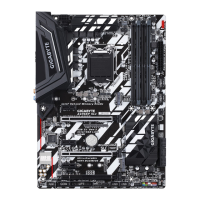
GIGA-BYTE TECHNOLOGY Z370XP SLI - User Manual

GIGA-BYTE TECHNOLOGY Z370XP SLI
48 pages
Print Icon
To Next Page IconTo Next Page
Loading...
To reduce the impacts on global warming, the packaging materials of this product
are recyclable and reusable. GIGABYTE works with you to protect the environment.
For more product details, please visit GIGABYTE's website.
Z370XP SLI
User's Manual
Rev. 1001
12ME-Z37XPSL-1001R
Question and Answer IconNeed help?

Do you have a question about the GIGA-BYTE TECHNOLOGY Z370XP SLI and is the answer not in the manual?

Summary

Chapter 1 Hardware Installation

Installation Precautions

Guidelines and procedures to prevent damage during hardware installation.

Product Specifications

Detailed technical specifications of the motherboard components and features.

Installing the CPU

Step-by-step instructions for correctly installing the Central Processing Unit.

Installing the Memory

Instructions for installing RAM modules, including dual-channel configuration.

Installing an Expansion Card

Guidance on installing add-in cards into PCI Express slots.

Setting up AMD CrossFire;NVIDIA SLI Configuration

Steps to configure multi-GPU setups like AMD CrossFire or NVIDIA SLI.

Back Panel Connectors

Description and function of all external ports located on the motherboard's back panel.

Internal Connectors

Identification and purpose of various internal headers and connectors on the motherboard.

Chapter 2 BIOS Setup

Startup Screen

Overview of the initial screen displayed during the computer's boot process.

M.I.T. (Motherboard Intelligent Tweaker)

Advanced settings for overclocking, frequency, and voltage adjustments.

System

Information about the motherboard model, BIOS version, and system date/time.

BIOS

Configuration options for boot order, security, and system startup behavior.

Peripherals

Settings for onboard devices like graphics, audio, and network controllers.

Chipset

Configuration options for integrated chipset features like graphics and audio.

Power

Settings related to system power management and wake-up events.

Save & Exit

Options for saving BIOS changes, loading defaults, and exiting the setup utility.

Chapter 3 Appendix

Configuring a RAID Set

Instructions for setting up Redundant Array of Independent Disks using onboard controllers.

Installing an Intel Optane Memory

Guidance on installing and enabling Intel Optane Memory for storage acceleration.

Drivers Installation

Steps to install necessary drivers and software for the motherboard.

Summary

Chapter 1 Hardware Installation

Installation Precautions

Guidelines and procedures to prevent damage during hardware installation.

Product Specifications

Detailed technical specifications of the motherboard components and features.

Installing the CPU

Step-by-step instructions for correctly installing the Central Processing Unit.

Installing the Memory

Instructions for installing RAM modules, including dual-channel configuration.

Installing an Expansion Card

Guidance on installing add-in cards into PCI Express slots.

Setting up AMD CrossFire;NVIDIA SLI Configuration

Steps to configure multi-GPU setups like AMD CrossFire or NVIDIA SLI.

Back Panel Connectors

Description and function of all external ports located on the motherboard's back panel.

Internal Connectors

Identification and purpose of various internal headers and connectors on the motherboard.

Chapter 2 BIOS Setup

Startup Screen

Overview of the initial screen displayed during the computer's boot process.

M.I.T. (Motherboard Intelligent Tweaker)

Advanced settings for overclocking, frequency, and voltage adjustments.

System

Information about the motherboard model, BIOS version, and system date/time.

BIOS

Configuration options for boot order, security, and system startup behavior.

Peripherals

Settings for onboard devices like graphics, audio, and network controllers.

Chipset

Configuration options for integrated chipset features like graphics and audio.

Power

Settings related to system power management and wake-up events.

Save & Exit

Options for saving BIOS changes, loading defaults, and exiting the setup utility.

Chapter 3 Appendix

Configuring a RAID Set

Instructions for setting up Redundant Array of Independent Disks using onboard controllers.

Installing an Intel Optane Memory

Guidance on installing and enabling Intel Optane Memory for storage acceleration.

Drivers Installation

Steps to install necessary drivers and software for the motherboard.

GIGA-BYTE TECHNOLOGY Z370XP SLI Specifications

General IconGeneral
Form FactorATX
SocketLGA 1151
ChipsetIntel Z370
Memory TypeDDR4
Memory Slots4
Max Memory Capacity64 GB
PCI Express x16 Slots2
PCI Express x1 Slots3
SATA 6Gb/s Ports6
M.2 Slots2
USB 3.1 Gen 2 Type-C Ports (Rear)1
AudioRealtek ALC892
Multi-GPU Support2-Way NVIDIA SLI
LAN10/100/1000 Mb/s
RAID SupportRAID 0, 1, 5, 10

Related product manuals