
 Need help?
Do you have a question about the Gigabyte B660I AORUS PRO DDR4 and is the answer not in the manual?
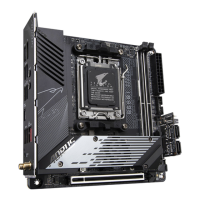
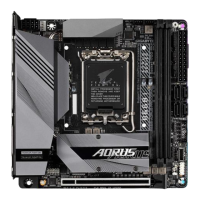
Visual identification of key components on the motherboard.
High-level overview of motherboard architecture and connectivity.
List of items included in the motherboard box for user verification.
Critical safety and handling instructions to prevent damage during installation.
Comprehensive details on the motherboard's hardware capabilities and features.
Step-by-step instructions for safely installing the CPU and CPU cooler.
Proper procedure for installing memory modules into the designated slots.
Guide for installing add-on cards like GPUs or network cards.
Identification and function of all ports on the motherboard's rear panel.
Pinout and usage details for motherboard's internal connectors.
Procedures for installing the OS, including specific driver requirements.
Guide to installing essential drivers and software using GIGABYTE's APP Center.
Instructions for setting up Redundant Array of Independent Disks (RAID).
 General
| Processor socket | LGA 1700 |
|---|---|
| Processor manufacturer | Intel |
| Compatible processor series | Intel Celeron, Intel Core i3, Intel Core i5, Intel Core i7, Intel Core i9, Intel Pentium |
| Maximum number of SMP processors | 1 |
| Component for | PC |
| Motherboard chipset | Intel B660 |
| PC health monitoring | CPU, FAN, Temperature, Voltage |
| Audio output channels | 7.1 channels |
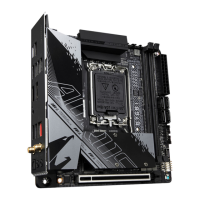
| Motherboard form factor | mini ITX |
| Windows operating systems supported | Windows 10 x64, Windows 11 x64 |
| S/PDIF out port | Yes |
| DisplayPort version | 1.2 |
| USB 2.0 ports quantity | 2 |
| USB 3.2 Gen 1 (3.1 Gen 1) Type-A ports quantity | 4 |
| USB 3.2 Gen 2 (3.1 Gen 2) Type-A ports quantity | 0 |
| Wi-Fi standards | 802.11a, 802.11b, 802.11g, Wi-Fi 4 (802.11n), Wi-Fi 5 (802.11ac), Wi-Fi 6 (802.11ax) |
| Bluetooth version | 5.2 |
| Top Wi-Fi standard | Wi-Fi 6 (802.11ax) |
| Ethernet interface type | 2.5 Gigabit Ethernet |
| Memory slots type | DIMM |
| Supported memory types | DDR4-SDRAM |
| Maximum internal memory | 64 GB |
| Supported memory clock speeds | 2133, 2400, 2666, 2933, 3000, 3200, 3300, 3333, 3400, 3466, 3600, 3666, 3733, 3800, 3866, 4000, 4133, 4266, 4300, 4400, 4500, 4600, 4700, 4800, 4933, 5000, 5133, 5333 MHz |
| Cables included | SATA |
| BIOS type | UEFI AMI |
| ACPI version | 5.0 |
| BIOS memory size | 256 Mbit |
| System Management BIOS (SMBIOS) version | 2.7 |
| Maximum resolution | 4096 x 2160 pixels |
| Parallel processing technology support | Not supported |
| RAID levels | 0, 1, 5, 10 |
| Supported storage drive types | HDD & SSD |
| Supported storage drive interfaces | M.2, SATA III |
| Harmonized System (HS) code | 84733020 |
| Weight | 1000 g |
 Weight and Dimensions
| Width | 170 mm |
|---|---|
| Height | 70 mm |


 To Next Page