EasyManua.ls Logo

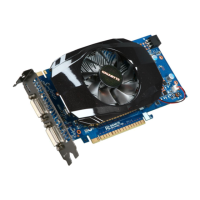
Gigabyte GV-N450TC-1GI - User Manual

Gigabyte GV-N450TC-1GI
30 pages
Print Icon
To Next Page IconTo Next Page
Loading...
GV-N450TC-1GI/
GV-N450-1GI/
GV-N450-512I
NVIDIA
®
GeForce
TM
GTS 450 Graphics Accelerator
User's Manual
Rev. 103
12MM-N450GI-103ER
Copyright
© 2011 GIGABYTE TECHNOLOGY CO., LTD
Copyright by GIGA-BYTE TECHNOLOGY CO., LTD. ("GBT"). No part of this manual may be reproduced or transmitted
in any form without the expressed, written permission of GBT.
Trademarks
Third-party brands and names are the properties of their respective owners.
Notice
Please do not remove any labels on this graphics card. Doing so may void the warranty of this card.
Due to rapid change in technology, some of the specifications might be out of date before publication of this this manual.
The author assumes no responsibility for any errors or omissions that may appear in this document nor does the author
make a commitment to update the information contained herein.
Rovi Product Notice:
This product incorporates copyright protection technology that is protected by U.S. patents and other intellectual property rights.
Use of this copyright protection technology must be authorized by Rovi Corporation, and is intended for home and other limited
viewing uses only unless otherwise authorized by Rovi Corporation. Reverse engineering or disassembly is prohibited.
Question and Answer IconNeed help?

Do you have a question about the Gigabyte GV-N450TC-1GI and is the answer not in the manual?

Overview

This document is the user manual for the GIGABYTE GV-N450TC-1GI, GV-N450-1GI, and GV-N450-512I NVIDIA GeForce GTS 450 Graphics Accelerators. It provides comprehensive information on the features, installation, software, troubleshooting, and regulatory statements for these graphics cards.

Function Description:

The GIGABYTE GV-N450TC-1GI, GV-N450-1GI, and GV-N450-512I are graphics accelerators designed to enhance the visual performance of a computer system. They are powered by the NVIDIA GeForce GTS 450 Graphics Processing Unit (GPU), enabling advanced graphics rendering for gaming, multimedia, and other visually intensive applications. These cards support PCI Express 2.0, ensuring high-speed data transfer with the motherboard. The GV-N450TC-1GI model specifically incorporates NVIDIA Turbo Cache technology, which dynamically shares available system memory to boost graphics performance, with the total effective VGA memory varying based on the system's RAM. The cards are capable of handling DirectX 11, providing support for the latest graphics technologies and effects in modern games and applications. They also feature NVIDIA SLI (Scalable Link Interface) technology, allowing users to link two compatible graphics cards for even greater performance, provided the motherboard supports two x16 PCI Express slots and the cards are of the same model and vendor.

Important Technical Specifications:

  • GPU: NVIDIA GeForce GTS 450 Graphics Processing Unit.
  • Memory:
    • GV-N450-1GI: Integrated with 1GB GDDR5 memory.
    • GV-N450-512I: Integrated with 512MB GDDR5 memory.
    • GV-N450TC-1GI: Supports NVIDIA Turbo Cache technology for dynamic system memory sharing, with effective VGA memory depending on system RAM.
  • Bus Standard: PCI Express 2.0.
  • DirectX Support: DirectX 11.
  • SLI Support: NVIDIA SLI technology (requires SLI certified motherboard with two PCIe x16 slots, two same-model/vendor cards, 600-watt+ power supply, and an SLI bridge connector).
  • Connectors:
    • 2 Dual-Link DVI-I connectors.
    • 1 mini HDMI connector.
  • Display Protection: Supports HDCP (High-Bandwidth Digital Content Protection) technology.
  • Minimum System Requirements:
    • Power Supply: 400-watt system power supply or above recommended (600-watt or above for SLI configuration).
    • Processor: Intel Pentium 4 or AMD Athlon XP class processor or higher.
    • System Memory: 1GB system memory (2GB recommended).
    • Optical Drive: CD-ROM or DVD-ROM drive for software installation.
    • Operating System: Windows 7, Windows Vista, Windows XP.

Usage Features:

The graphics cards offer a variety of features for display configuration and optimization.

  • Multi-Display Support: The cards come with two DVI-I digital connectors and one mini HDMI connector, allowing for flexible monitor setups. Users can connect a DVI-I compatible monitor directly or use an adapter for HDMI monitors.
  • NVIDIA Control Panel: After driver installation, the NVIDIA Control Panel provides a centralized interface for configuring all graphics card settings. This includes:
    • 3D Settings: Adjusting image and rendering settings for Direct3D and OpenGL applications, overriding GPU/memory clock frequencies for performance enhancement, and assigning specific 3D settings to individual games.
    • Display Settings: Manipulating display features such as moving CRT screen position, changing resolution, adjusting desktop color settings, rotating display (portrait, landscape, inverted), managing custom resolutions, and setting up multiple displays.
    • Video & Television Settings: Fine-tuning television picture quality, video color settings, and adjusting desktop video position and size for optimal viewing on a television screen.
  • Multi-Display Modes (NVIDIA nView technology):
    • Single Display: Use only one display.
    • Clone Mode: The same image is displayed on both monitors in a display pair.
    • Dualview Mode: Both displays function as one virtual desktop, with each treated as a separate device (taskbar not stretched, 3D applications not accelerated as efficiently as Horizontal Span).
    • Horizontal Span (Windows XP only): Both displays function as one wide virtual desktop, with each display's width being half of the total virtual desktop width.
    • Vertical Span (Windows XP only): Both displays function as one tall virtual desktop, with each display's height being half of the total virtual desktop height.
  • Resolutions and Color Depth: The manual provides a detailed table of supported resolutions and color depths (8bpp, 16bpp, 32bpp) for single display standard modes in Windows XP, with refresh rates ranging from 50Hz to 240Hz, including support for dual-link resolutions up to 2560x1600.

Maintenance Features:

The manual outlines important guidelines for the safe handling and maintenance of the graphics card:

  • Static Electricity Precautions: Users are advised to turn off the computer, unplug the power supply, use a grounded wrist strap, and place components on an antistatic pad or in their original bag to prevent damage from static electricity.
  • BIOS Management: Instructions are provided on how to reflash the BIOS in MS-DOS mode, including backing up the current BIOS and flashing a new one. This ensures the card operates with the latest firmware and can resolve potential issues. Users are cautioned to use only official GIGABYTE BIOS.
  • Troubleshooting Tips: A dedicated section offers solutions for common problems, such as ensuring proper card seating, secure cable connections, adequate power supply, disabling built-in graphics, correct driver installation, and checking drivers in Safe Mode.
  • Regulatory Compliance: The manual includes regulatory statements regarding RoHS (Restriction of Hazardous Substances) and WEEE (Waste Electrical and Electronic Equipment) directives. GIGABYTE products are designed to be free from hazardous substances and comply with environmental regulations, encouraging responsible recycling and disposal of "end of life" products. A China RoHS table details the presence of hazardous substances in various components.

Gigabyte GV-N450TC-1GI Specifications

General IconGeneral
BrandGigabyte
ModelGV-N450TC-1GI
CategoryVideo Card
LanguageEnglish

Related product manuals