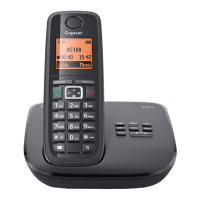
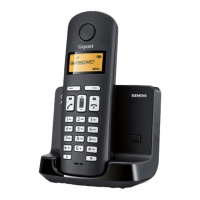
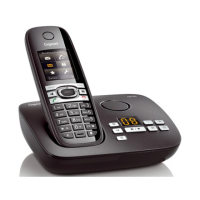
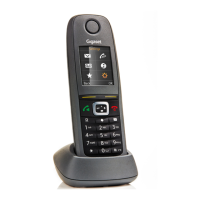
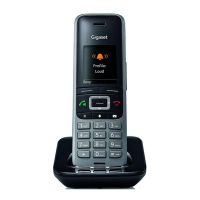
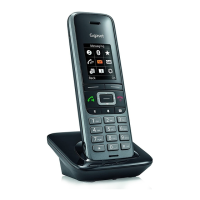
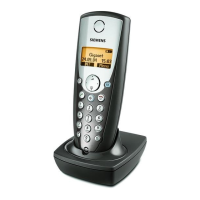
The handset at a glance
1 Charge status of the batteries:
= e V U (flat to full)
= flashes: batteries almost flat
e V U flashes: charging
2Display keys
3 End call key and On/Off key
4 Talk key/Handsfree key
5 Control key (
u)
6 Directory key (press down on the
control key)
7 Key 1
network mailbox
8 Star key
Ringers on/off (press and hold);
with an open connection: switch
from pulse dialling to tone dialling
(press briefly)
9 Key 0/recall key
Consultation call (flash): press and
hold
10 Hash key
Keypad lock on/off (press and
hold); toggles between upper/
lower case and digits; inserts a dial-
ling pause (press and hold)
11 Microphone
Display keys:
Pressing a key launches the function
that appears above that key in the dis-
play.
Please note
New messages in the calls list/net-
work mailbox list (
¢ page 6) are
indicated in the display by the mes-
sage New messages.
Display Function when pressed
INT Call other registered hand-
sets
¢ page 7.
MENU Open main/submenu
(see menu overview
¢ page 14).
“
Go back one menu level.
U
Scroll up/down or adjust
volume with
u.
T
Move cursor to left/right
with
u.
˜
Backspace deletes one
character at a time.
OK Confirm menu function or
save entry.
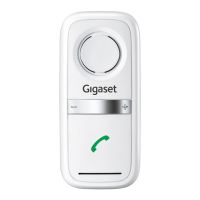
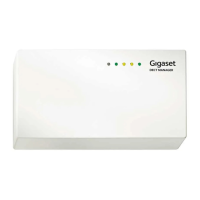
The base station at a
glance
Registration/paging key:
Search for handsets (press
briefly, "Paging"
¢ page 6)
Register handsets
(press and hold
¢ page 7)
ECO DECT
During a call, the level of the handset's radio signal adjusts automatically according to the
distance between the handset and base station: the shorter the distance, the lower the sig-
nal strength (radiation).
The handset’s radio signal is switched off when it is in standby mode. The base station,
however, maintains contact with the handset with fewer radio signals.
In addition, the base station radio signals are switched off when the No Radiation setting
is enabled.
MENU
¤ u Settings ¤ OK ¤ u Base ¤ OK ¤ u ECO DECT ¤ OK ¤ No Radiation ¤ OK
(
‰= radiation switched off, icon ½ in the left-hand corner of the display)
Please note
◆ All registered handsets must support this feature.
◆ For quick connection of incoming calls the handset repeatedly switches to reception
mode for short periods. This increases energy consumption and therefore reduces the
standby and talk times.


 To Next Page