7
Gigaset A475/A475A (A415x) / BE-NL / A31008-M2501-M201-1-3F19 / Penguin.fm / 31.07.2017
Template Bali, Version 1, 16.02.2012
Handsfree operation
In handsfree mode, you activate the loudspeaker so that you can hear the caller without having to hold the handset to
your ear. During a call and when listening to the answering machine (Gigaset A475A only) you can activate or deactivate
handsfree mode by pressing the handsfree key
d.
During the call in handsfree mode you can adju
st the handsfree volume by pressing t and set the volume with q.
Muting
You can deactivate your handset's microphone during a call. Press the right control key v to mute the handset. Press
the control key
v again to reactivate the microphone.
Automatic network provider preselection
You can store a call-by-call number (preselection number), which is automatically placed in front of numbers when you
dial them. If, for example, you wish to make international calls via special network providers, you can save the relevant
dialling code here.
In the "W
ith Preselect" list, specify the dialling codes or the first digits of the dialling codes that you wish to assign to the
preselection number.
In the "W
ithout Presel." list, enter any exceptions to the "With Preselect" list.
Enter preselection number via menu (
¢ page 22).
Permanently deactivating preselection: D
elete the preselection number with Ü.
Temporarily cancelling preselection:
(press and hold)
¤ §Menu§ ¤ q Preselect off ¤ §OK§ ¤ ~ (enter number) or s (use number from directory) ¤ The
number is dialled without Preselection.
Using the directory and lists
Directory
To open the directory: press control key s.
You can save up to 10
0 phone numbers (max. 22 digits) with corresponding names (max. 16 characters).
Enter letters/characters
¢ page 16.
Storing the first number in the directory
s
¤ New Entry? ¤ §OK§ ¤ ~ (enter number) ¤ §OK§ ¤ ~ (enter name) ¤ §OK§
Storing further numbers in the directory
s
¤ §Menu§ ¤ New Entry ¤ §OK§ ¤ ~ (enter number) ¤ §OK§ ¤ ~ (enter name) ¤ §OK§
Selecting a directory entry
Open the directory with s. You have the following options:
◆ Use q to scroll through the entries until the required name is selected.
◆ Enter the first character of the name and scroll to the entry with q, if required.
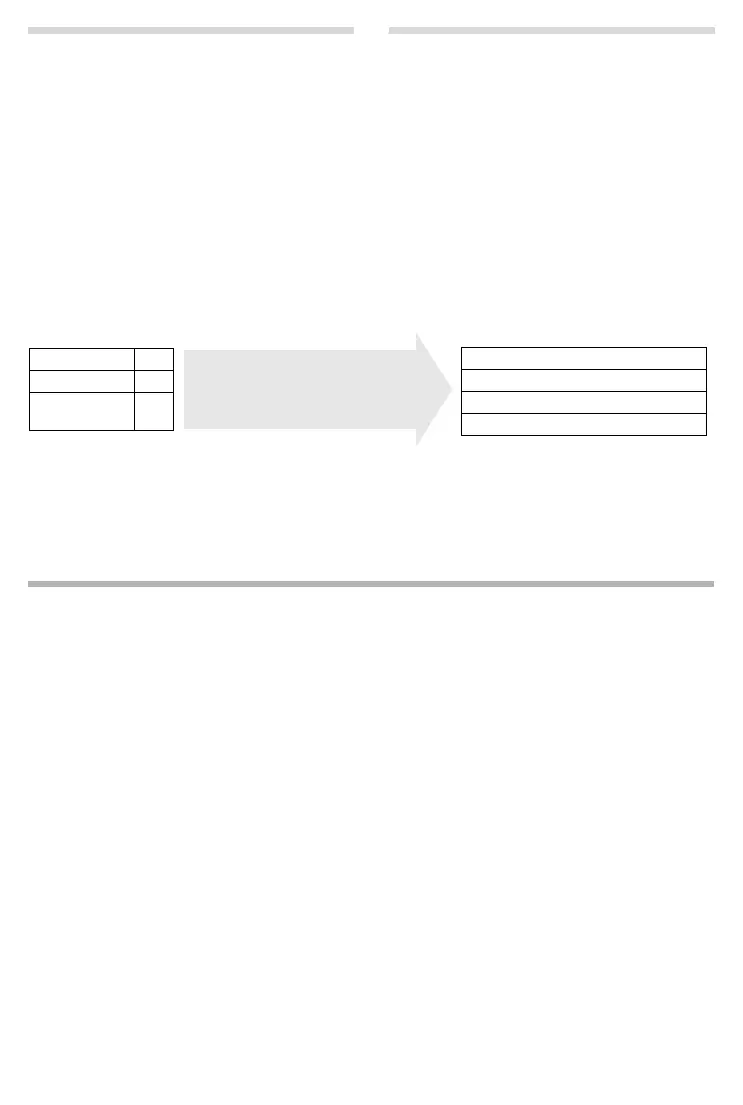
Example:
Presel. Number 0999
With Preselect 08
Without Presel. 081
084
Phone number Dialled number
07112345678
¤ 07112345678
08912345678
¤ 0999 08912345678
08412345678
¤ 08412345678
All numbers that start with 08, except
for 081 and 084, are dialled with the
preselection number 0999.



 To Next Page