EasyManua.ls Logo

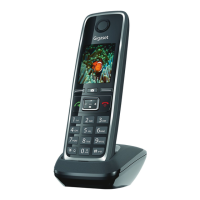
Gigaset C530 IP - User Manual

Gigaset C530 IP
173 pages
Print Icon
To Next Page IconTo Next Page
Loading...
Gigaset C530IP / IM-Nord en / A31008-M2506-R201-1-PG19 / cover_front.fm / 06.03.2014
Template Borneo, Version 1, 21.06.2012
Congratulations
By purchasing a Gigaset, you have chosen a brand that is fully
committed to sustainability.
This product’s packaging is eco-friendly!
To learn more, visit www.gigaset.com.
C530 IP

Table of Contents

Other manuals for Gigaset C530 IP

Questions and Answers

  • N
    Nancy CookJul 26, 2025
    What to do if I cannot send messages using Gigaset Telephone Accessories?
    • R
      Ryan HollandJul 27, 2025
      If you're unable to send messages, try the following: First, ask your service provider to enable this service. If that doesn't work, re-send the text message. Also, make sure you have entered the number correctly.
  • J
    jcampbellAug 6, 2025
    What to do if I receive an incomplete SMS on Gigaset Telephone Accessories?
    • B
      Benjamin RamseyAug 6, 2025
      If you are receiving incomplete SMS messages, try deleting old SMS messages.
  • A
    agarciaAug 16, 2025
    What to do if I have stopped receiving SMS messages on my Gigaset Telephone Accessories?
    • S
      Sean JohnsonAug 16, 2025
      If you have stopped receiving SMS messages, change the Call Forwarding.

Summary

Gigaset C530 IP - Your perfect companion

Getting started

Checking the contents of the package

Lists all components included in the Gigaset C530 IP package for verification.

Connecting the base to a router (Internet)

Steps to connect the base to a router for Internet access, enabling VoIP and other online features.

Setting up the phone - installation wizard

Guides users through the initial phone setup, including VoIP configuration and network settings.

Making calls

Making an external call

Explains how to make calls via the public telephone network or the Internet (VoIP).

Configuring the system settings

Changing the system PIN

Instructions on how to change the 4-digit system PIN for security and access to settings.

Configuring VoIP connections

Guide to setting up and managing up to 6 VoIP connections, including auto-configuration and provider data.

Configuring the phone via the Web configurator

Connecting the PC with the telephones Web configurator

Prerequisites and methods for connecting a PC to the phone's Web configurator for settings management.

Customer Service & Assistance

Gigaset C530 IP Specifications

General IconGeneral
Volume controlDigital
Add new contacts from handsetYes
Backlight colorAmber
Display diagonal1.8 \
Display resolution128 x 160 pixels
Display number of colors65536 colors
MountingDesk/Wall
Handset typeWireless handset
Product typeIP Phone
Product colorBlack
Call log entries30
Phonebook capacity200 entries
Battery typeAAA
Ringer typePolyphonic
Voice codecsG.711, G.722, G.726, G.729, G.729ab, iLBC
Maximum indoor range50 m
Maximum outdoor range300 m
Standby time320 h
Number of handles included1 pc(s)
Weight and Dimensions IconWeight and Dimensions
Depth27 mm
Width58 mm
Height156 mm

Related product manuals