Template Module, Elderly, Version 1.0, 20.02.2019,
Phone settings
Gigaset E295 / LUG BE-PTT en / A31008-M2901-E151-1-3F19 / settings.fm / 2/13/20
44
Enabling/disabling advisory and warning tones
The handset provides acoustic notification of different activities and statuses.
You can enable and disable advisory and warning tones separately.
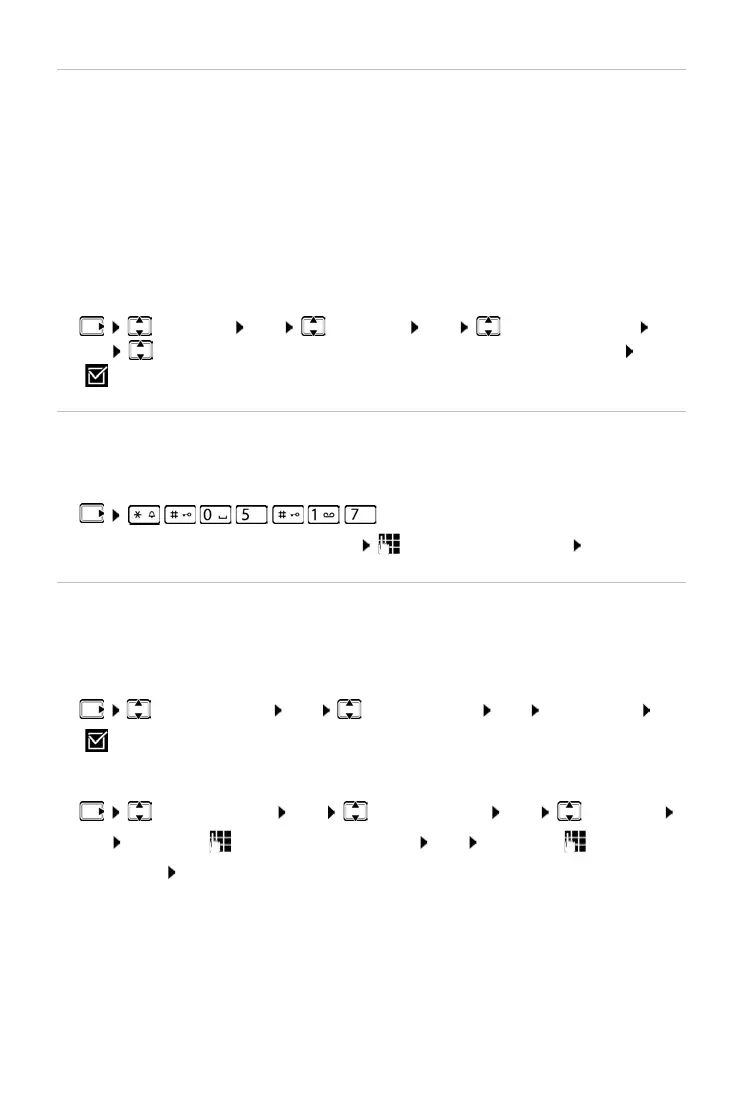
¤ Settings OK Handset OK Audio Settings
OK Advisory Tones / Battery Low / Out-of-Range Warning OK
( = enabled)
Music on hold
You can choose whether an external caller hears music on hold during an
internal consultation or when a call is being forwarded.
Enabling/disabling ringtone with time control
Enter a time period during which the handset should suspend ringing to
indicate external calls, such as during the night.
Enabling/disabling time control
¤ Call Manager OK Time Control OK Activation OK
( = enabled)
Setting the time period
¤ Call Manager OK Time Control OK Settings
OK Off from: Enter the 4-digit time OK Off until: Enter the 4-
digit time OK
Advisory tone: e.g. keypress tones, error tone, a new message
Battery warning tone:
The battery charge falls below a certain level during a call.
Range warning tone:
The handset moves outside the range of the base.
¤ . . . The digit for the current setting
flashes: 0 = disabled; 1 = enabled enter required digit OK



 To Next Page