Gigaset E295 / LUG BE-PTT en / A31008-M2901-E151-1-3F19 / settings.fm / 2/13/20
Template Module, Elderly, Version 1.0, 20.02.2019
Phone settings
45
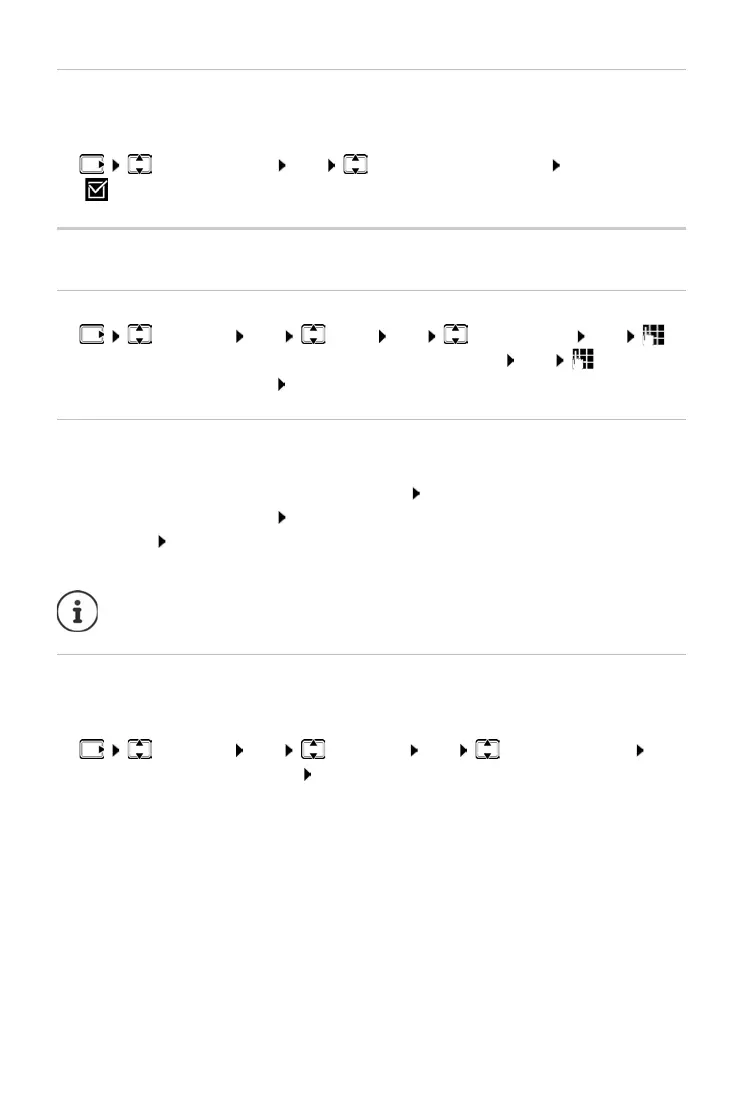
Off for anonymous calls
You can set your handset so that it does not ring for calls where Calling Line
Identification has been withheld. The call is only signalled on the display.
¤ Call Manager OK Mute Anonym. Calls OK
( = enabled)
System
Changing the system PIN
¤ Settings OK Base OK System PIN OK
Enter the current 4-digit system PIN (default: 0000) OK Enter the
new 4-digit system PIN OK
Resetting the system PIN
Resetting the base to the original PIN code 0000:
¤ Remove the power cable from the base Keep pressed the Registration/
paging key on the base At the same time, reconnect the power cable to
the base
press and hold the key for at least 5 seconds . . . the base is
reset and the system PIN is set to 0000
Resetting the handset
You can reset individual settings. Entries in the directory and call list, and the
handset’s registration to the base, are maintained.
¤ Settings OK Handset OK Reset Handset OK
. . . Perform factory reset? OK
All handsets are de-registered and must be re-registered. All settings
are reset to the defaults.



 To Next Page