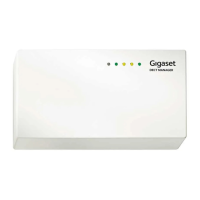
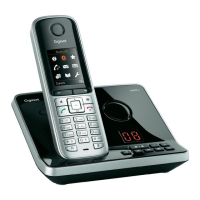
The provided document is a configuration guide for the Gigaset N720 DECT Manager, detailing how to set up and register the device with PBXware 4.1. The Gigaset N720 is a DECT IP multicell system designed for small to medium-sized businesses, enabling seamless mobility and communication across multiple base stations.
Function Description:
The Gigaset N720 DECT Manager serves as the central control unit for a multicell DECT system, coordinating multiple Gigaset N720 IP PRO base stations to provide continuous DECT coverage. It allows users to make and receive calls using DECT handsets, offering features like call forwarding, voicemail, and conferencing through integration with a PBXware system. The device facilitates both manual configuration and auto-provisioning, simplifying deployment and management. It supports a range of Gigaset DECT handsets, providing high-quality voice communication and mobility within a defined coverage area. The system is designed to handle multiple simultaneous calls and a significant number of registered handsets, making it suitable for office environments where employees need to move freely while staying connected.
Important Technical Specifications:
While the document doesn't explicitly list all technical specifications, it highlights several key aspects:
- Firmware Version: The device requires a specific firmware version, 70.110.00.000.00, for optimal operation with PBXware 4.1. This indicates the importance of maintaining up-to-date software for compatibility and functionality.
- PBXware Compatibility: The guide is specifically tailored for PBXware version 4.1.4.0, suggesting that the N720's features and configuration methods are optimized for this particular PBX system.
- Network Connectivity: The N720 connects to the local area network (LAN) via an Ethernet cable. It supports both traditional power adapter connection and Power over Ethernet (PoE), offering flexibility in deployment and reducing cable clutter. PoE compliance is crucial for utilizing this power option.
- IP Addressing: The device obtains its IP address through a DHCP server, simplifying network integration. Users can also manually find the IP address by accessing
www.gigaset-config.com in a web browser, which lists all connected Gigaset phones.
- Web Administration Interface: The N720 features a web-based administration interface accessible via its IP address (e.g.,
http://192.168.1.22). This interface is used for firmware updates, configuration, and monitoring. The default login password is "admin."
- Auto Provisioning: The system supports auto-provisioning using DHCP option 66 or HTTP, allowing for automated configuration file retrieval from the PBXware server. This streamlines the deployment of multiple devices.
- UAD Settings: The PBXware system includes User Agent Device (UAD) settings specifically for Gigaset phones, enabling the PBX to manage and provision the N720. Key UAD settings include "Status" (Active), "Auto provisioning" (Yes/No), and "DHCP" (Yes).
- Extension Registration: The N720 registers with PBXware extensions using authentication names (extension numbers), authentication passwords (secrets), usernames, and display names.
Usage Features:
- Mobility: As a DECT IP multicell system, the N720 provides seamless handover between base stations, allowing users to move freely within the coverage area without dropping calls.
- Scalability: The multicell architecture suggests the ability to expand coverage by adding more base stations, catering to growing business needs.
- Integration with PBXware: The N720 integrates deeply with PBXware, leveraging its call management features, voicemail, and other communication services.
- Flexible Power Options: Support for both power adapters and PoE offers flexibility in installation, especially in environments where power outlets might be limited or where a cleaner cabling solution is desired.
- Easy IP Address Discovery: The
www.gigaset-config.com portal simplifies the process of finding the IP address of connected Gigaset phones, which is essential for accessing the web administration interface.
- Manual and Auto Configuration: The guide provides instructions for both manual configuration, which offers granular control, and auto-provisioning, which automates the setup process for quicker deployment.
- Extension Management: PBXware allows for the creation and management of extensions, including assigning names, email addresses, and departments, which are then linked to the Gigaset handsets registered through the N720.
- Remote and Local Registration: Extensions can be registered from both local LAN and remote networks (WAN/Internet), providing flexibility for different deployment scenarios.
Maintenance Features:
- Firmware Updates: The device requires specific firmware versions, and the web administration interface allows for firmware updates. This is crucial for security, bug fixes, and new feature introductions. The guide mentions updating firmware via the "Management" and "Firmware update" sub-menus, using a configuration file URL.
- Factory Reset: The guide details a procedure to reset the N720 to factory settings, which involves disconnecting power, pressing and holding the reset button, and reconnecting power. This is a vital troubleshooting step for resolving configuration issues or preparing the device for redeployment.
- Configuration Backup/Restore (Implied): While not explicitly stated, the auto-provisioning mechanism implies that configuration settings can be centrally managed and pushed to devices, which acts as a form of configuration backup and simplifies restoration or replacement of devices.
- Troubleshooting: The guide provides steps for verifying registration (dialing *123) and accessing the web interface, which are fundamental for troubleshooting connectivity and configuration problems. The note about not unplugging the phone during firmware updates or configuration changes highlights a critical maintenance consideration to prevent device corruption.
- Logging and Monitoring (Implied): Although not detailed, a web administration interface typically includes logging and monitoring capabilities that help administrators diagnose issues and ensure the system's health.

 Need help?
 General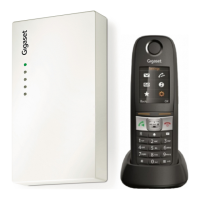

 To Next Page