Need help?
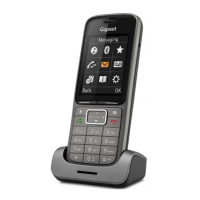
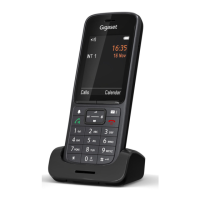
Do you have a question about the Gigaset SL800H PRO and is the answer not in the manual?
Instructions on inserting the battery and re-opening the battery cover for the handset.
Process for registering the Gigaset handset with the N870 IP PRO base station.
Instructions on how to initiate calls using the handset, including dialling and using the redial list.
How to accept or reject incoming calls, including handling auto answer and disabling ringtones.
How to set up and manage conference calls for simultaneous communication with multiple parties.
Step-by-step guide to creating new entries in the local directory.
Specific configuration for the 'Do Not Disturb' profile to silence incoming calls.
Detailed steps for saving new appointments, including date, time, name, and alarm tone.
Guide to setting, activating, deactivating, and configuring the alarm clock and wake-up time.
Setting a time period to suspend ringing for external calls, e.g., during the night.
Activating the 'Do Not Disturb' function to prevent incoming call notifications.
Process for registering Bluetooth headsets or data devices with the handset.
Instructions for updating the handset's firmware via a PC.
Setting up emergency numbers for quick dialling, even when the keypad is locked.
 General
| Type | Analog/DECT telephone |
|---|---|
| Handset type | Wireless handset |
| GAP compatible | Yes |
| Answering machine | No |
| Number of melodies | 32 |
| Mounting type | Desk |
| Product color | Anthracite |
| Protection features | Scratch resistant |
| Dialer location | Handset |
| Phonebook capacity | 500 entries |
| Call log entries | 60 |
| Personalization | Icons, Ringtones |
| Languages support | Multi |
| Display diagonal | 2.4 \ |
| Display resolution | 240 x 320 pixels |
| Display size (HxV) | 49 x 37 mm |
| Headset connectivity | Bluetooth |
| Standby time | 300 h |
| Number of handsets included | 1 |
| Harmonized System (HS) code | 85171800 |
 Weight and Dimensions
| Base dimensions | 70 x 58.4 x 28.6 mm |
|---|---|
| Handset dimensions (WxDxH) | 51 x 18.5 x 130.4 mm |

 To Next Page