EasyManua.ls Logo

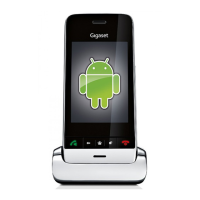
Gigaset SX810isdn - User Manual

Gigaset SX810isdn
100 pages
Print Icon
To Next Page IconTo Next Page
Loading...
SX810 ISDN / IM-Nord EN / A31008-N432-R201-1-SM19 / Cover_front.fm / 02.03.2011
Congratulations
By purchasing a Gigaset, you have chosen a brand that is fully committed
to sustainability. This product’s packaging is eco-friendly!
To learn more, visit www.gigaset.com.

Table of Contents

Questions and Answers

  • E
    emily57Aug 10, 2025
    Why can't I send messages from my Gigaset SX810isdn Cordless Telephone?
    • J
      Jaclyn SandersAug 10, 2025
      There are several reasons why you might be unable to send messages on your Gigaset Cordless Telephone. First, you may not have requested the CLIP service; contact your service provider to enable it. Second, SMS transmission may have been interrupted; try resending the SMS. Finally, the SMS service center number may be missing or invalid; enter the correct number.
  • A
    Alexandra Chambers MDAug 18, 2025
    What to do if SMS is played back on Gigaset SX810isdn?
    • J
      Jasmine WagnerAug 18, 2025
      The SMS playback on your Gigaset Cordless Telephone might occur because the "display call number" feature isn't activated; you should ask your service provider to enable it, noting that there may be a charge. Another reason could be the absence of an agreement between your mobile phone operator and your fixed line network SMS service provider; you should obtain information from your fixed line network SMS service provider. Lastly, your terminal might not be registered with your SMS provider; sending any SMS should automatically register your telephone to receive SMS.
  • G
    grosalesAug 25, 2025
    What to do if I receive an incomplete SMS on my Gigaset SX810isdn Cordless Telephone?
    • W
      williamssandraAug 26, 2025
      If you're receiving incomplete SMS messages on your Gigaset Cordless Telephone, it's likely that your phone's memory is full. To resolve this, delete old SMS messages.
  • A
    Amy HolmesSep 1, 2025
    Why have I stopped receiving SMS messages on my Gigaset SX810isdn?
    • W
      wrobinsonSep 2, 2025
      You may have stopped receiving SMS messages on your Gigaset Cordless Telephone because call divert is set to 'When: All Calls' or 'All Calls' is activated for the network mailbox. To fix this, change the call divert settings.

Summary

First steps

Installing the base

Instructions for properly positioning and installing the telephone base unit.

Setting up the handset for use

Guide on inserting batteries and closing the battery cover for the handset.

Setting up the telephone - installation wizard

ISDN wizard - assigning;entering the connections MSNs

Guide to configuring ISDN phone numbers (MSNs) for the telephone connection.

Connection assistant

Helps assign configured numbers to internal parties for send and receive connections.

Making calls

Making an external call

Steps for initiating a call using the public telephone network.

Functions during a call

Making a call to multiple participants

Guide on how to initiate calls to several people simultaneously.

Sending SMS (text messages)

Writing;sending SMS

Steps for composing and sending text messages.

Using multiple handsets

Registering handsets

Instructions for registering additional handsets to the base.

Using Bluetooth devices

Registering Bluetooth devices

Process for pairing the handset with Bluetooth devices like headsets.

Making ISDN settings

Setting up;changing;deleting ISDN phone numbers (MSNs)

Guide to managing your ISDN telephone numbers (MSNs).

Gigaset SX810isdn Specifications

General IconGeneral
BrandGigaset
ModelSX810isdn
CategoryCordless Telephone
LanguageEnglish

Related product manuals