Power: 12V - 5W
Quantity: 1
Front turn indicator bulb Type: WITH BULB
Power: 12V - 10W
Quantity: 1 RHS + 1 LHS
Front tail light bulb Type: ALL GLASS
Power: 12V - 5W
Quantity: 1
Instrument panel bulb Type: ALL GLASS
Power: 12V - 2W
Quantity: 4
03_24
Front light group (03_24, 03_25, 03_26, 03_27, 03_28, 03_29)
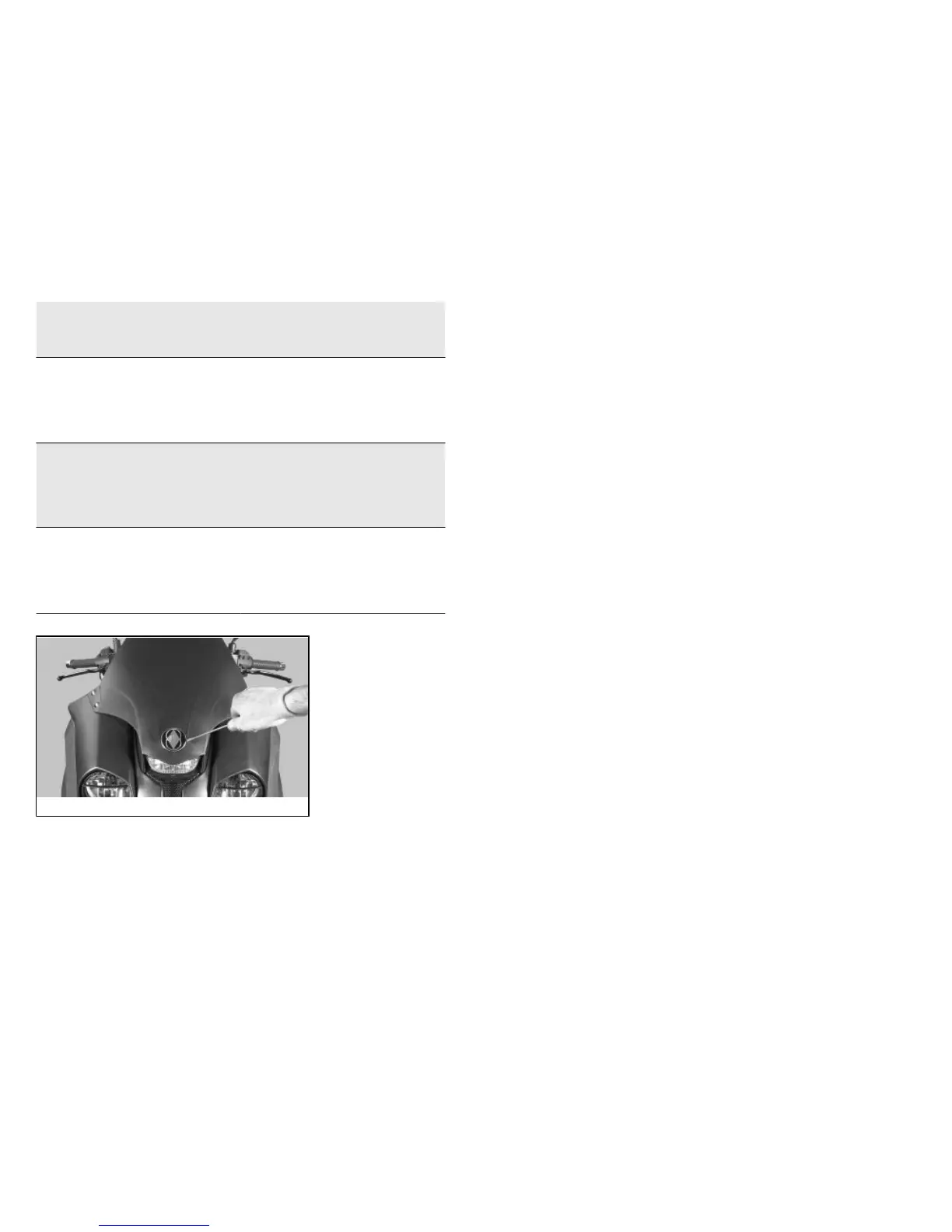
To access the tail light bulb:
- Insert a screwdriver in the notch on the side (see picture) of the Gilera emblem and
remove it.
- Undo the screw «A» and the four screws «B».
- Push the two indicated tongues to unlock the tail lights and remove the rubber bulb
holder
To replace it, slide off the bulb from the bulb holder and insert a new bulb.
To access the high-beam light bulbs and the low-beam light bulbs:
- Actuating on the inside of the front wheel housing, hold the high-beam light bulb
holder «C» or the low-beam bulb holder «D» and then turn it anticlockwise.
63



 To Next Page