EasyManua.ls Logo

Gilson SS-20 - User Manual

Default Icon
18 pages
Print Icon
To Next Page IconTo Next Page
Loading...
21 Washington Ave
Scarborough, ME 04074
888.293.2121
sales@myerstest.com
myerstest.com
11
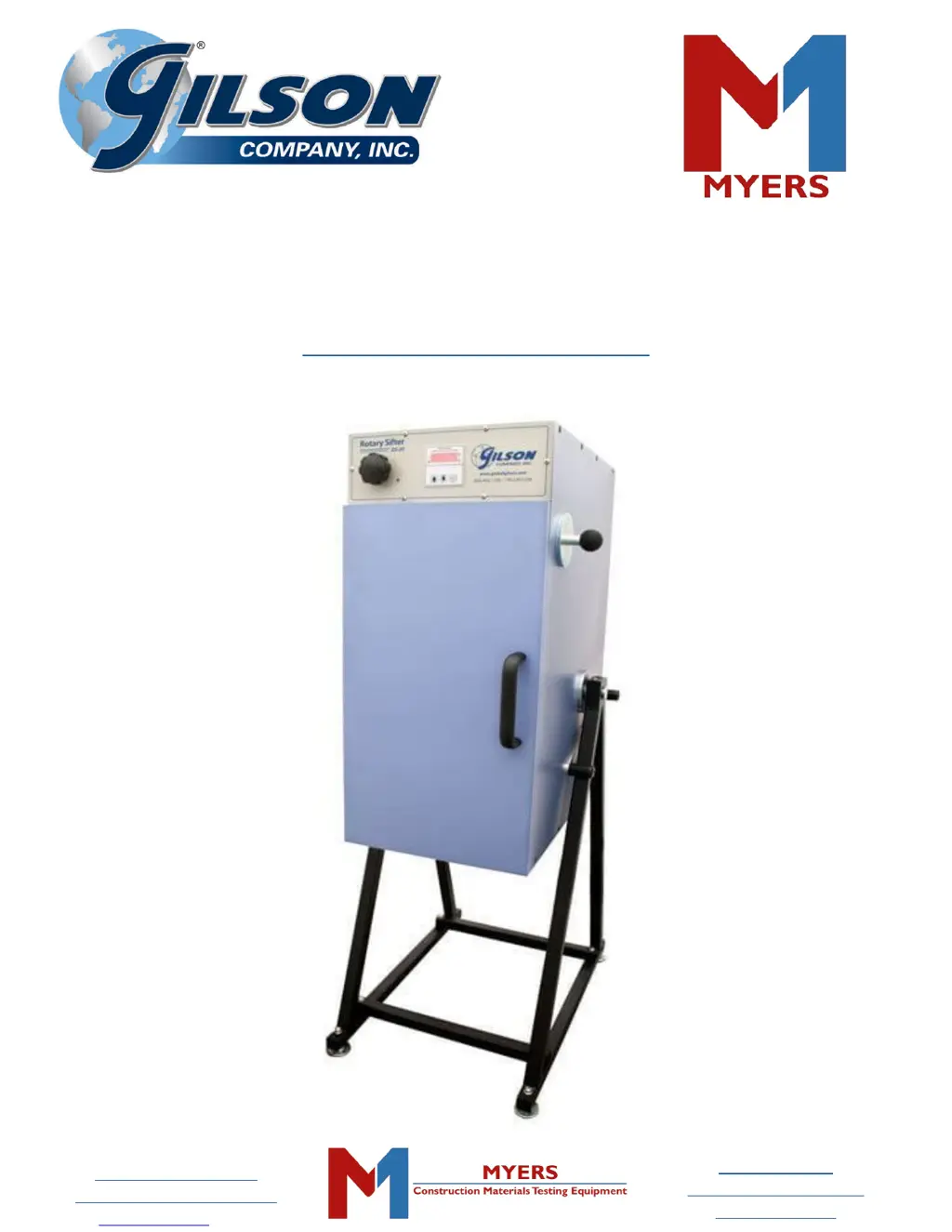
Gilson Rotary Sifter
SS-20 & SS-20F
OPERATING MANUAL

Questions and Answers

  • E
    erica05Aug 2, 2025
    How to troubleshoot no power to display on Gilson SS-20 Industrial Equipment?
    • R
      Rhonda ShawAug 2, 2025
      If your Gilson Industrial Equipment display has no power and the machine won't operate, it could be due to a disconnected power supply. Try reconnecting it. Alternatively, the door may not be completely closed, so ensure it is. A faulty door safety switch could also be the culprit; in this case, check the connections or replace the switch.
  • X
    xjamesAug 7, 2025
    What to do if Gilson Industrial Equipment motor runs but machine doesn't operate properly?
    • E
      Edward GriffinAug 7, 2025
      If the display is lit and the motor runs, but your Gilson Industrial Equipment isn't operating correctly, there are several potential causes: * A loose or broken drive belt: Adjust the tension or replace the belt. * Pulley(s) loose on shaft(s): Tighten the set screws on the shaft bearings. * Turntable installed in the wrong opening: Install the turntable in the correct opening. * Sieve size selection knob not set correctly: Set the selection knob to the correct size.
  • S
    Samuel SalasAug 12, 2025
    Why is my Gilson Industrial Equipment making excessive noise and vibration?
    • M
      Michael MendozaAug 12, 2025
      Excessive noise and vibration in your Gilson Industrial Equipment can stem from several issues. Make sure the sieve stack is properly seated. Check that the turntable is installed in the correct opening. Inspect drive components like belts, pulleys, bearings, and rods, adjusting or replacing them as needed. Also, verify that the sieve size selection knob is set correctly.
  • I
    icastilloAug 17, 2025
    Why display is lit but motor doesn't run on Gilson SS-20 Industrial Equipment?
    • D
      Dawn HollandAug 17, 2025
      If the display is lit, but the motor doesn't run on your Gilson Industrial Equipment, it could be due to faulty connections or wiring; trace the circuits with an electrical meter to check. Another possibility is a faulty timer, so diagnose the timer output and connections. Lastly, the motor itself may be faulty, requiring replacement.
  • N
    Nicole MorrowAug 22, 2025
    What to do if Gilson SS-20 Industrial Equipment gives inconsistent test results?
    • K
      kelleylauraAug 22, 2025
      Inconsistent or unexpected test results from your Gilson Industrial Equipment may arise from several factors. The sieve cloth might be damaged or out of specification, requiring sieve replacement. The sieve mesh could be blinded, so try cleaning the sieve. Improper tapper operation could also be the cause, in which case you should adjust or repair the tappers. Finally, ensure that the test time is sufficient; increasing it might resolve the issue.
  • C
    Candice DavisAug 27, 2025
    How to prevent loss of specimen fines in Gilson Industrial Equipment?
    • J
      jenniferturnerAug 28, 2025
      Excessive loss of specimen fines during testing with your Gilson Industrial Equipment could be due to damaged or deformed sieve frames or flanges; replace the damaged sieves. Alternatively, the sieves might not be seated properly, ensure that they are.

Summary

SAFETY INSTRUCTIONS

General Safety Precautions

Essential safety precautions for operating and maintaining the Gilson Rotary Sifter, emphasizing electrical hazards.

1.0 INTRODUCTION

Gilson Rotary Sifter Overview

Overview of the Gilson Rotary Sifter, highlighting its features, benefits, and design innovations.

2.0 UNPACKING & SETUP

Support Stand Assembly and Cabinet Mounting

Instructions for assembling the support stand and securely mounting the sifter cabinet.

3.0 OPERATING INSTRUCTIONS

Test Specimen & Sieve Stack Assembly

Guidance on preparing the test specimen and assembling the sieve stack for operation.

Timer Setup & Operation

Procedures for setting up and operating the Gilson interval count-down timer.

SS-20 Components Overview

Identification and labeling of the physical components of the SS-20 Rotary Sifter.

4.0 MAINTENANCE

Maintenance Procedures

Procedures and precautions for maintaining the Gilson Rotary Sifter, emphasizing safety.

5.0 TROUBLESHOOTING

Troubleshooting Guide

Common issues, possible causes, and solutions for the Gilson Rotary Sifter.

7.0 PARTS DIAGRAMS & ELECTRICAL SCHEMATIC

SS-20 External Parts Diagram

Visual identification of external components of the SS-20 Rotary Sifter with numbered labels.

SS-20 Internal Parts Diagram

Visual identification of internal components of the SS-20 Rotary Sifter with numbered labels.

SS-20 Electrical Schematic

Diagram illustrating the electrical connections and components of the SS-20 Rotary Sifter.

8.0 PARTS LIST

SS-20 Parts List

A detailed list of all parts for the SS-20 Rotary Sifter, including item number and part number.

9.0 ADDITIONAL INFORMATION

9.1 Gilson Test Sieves

Information on Gilson test sieves, including types, specifications, and ordering details.

9.2 Test Sieve & Screen Tray Verification & Services

Details on services for verifying test sieves and screen trays, including compliance and inspection grades.

9.3 8 in Diameter ASTM Test Sieves

Catalog of 8-inch diameter ASTM test sieves, listing frame materials and mesh sizes.

9.4 12 in Diameter ASTM Test Sieves

Catalog of 12-inch diameter ASTM test sieves, listing frame materials and mesh sizes.

9.5 ISO 200;300 mm Test Sieves

Catalog of ISO 200/300mm test sieves, listing frame materials and mesh sizes.

9.6 Accessories

List and descriptions of accessories available for the Gilson Rotary Sifter and sieve handling.

Gilson SS-20 Specifications

General IconGeneral
BrandGilson
ModelSS-20
CategoryIndustrial Equipment
LanguageEnglish