2
2. Learn about the phone
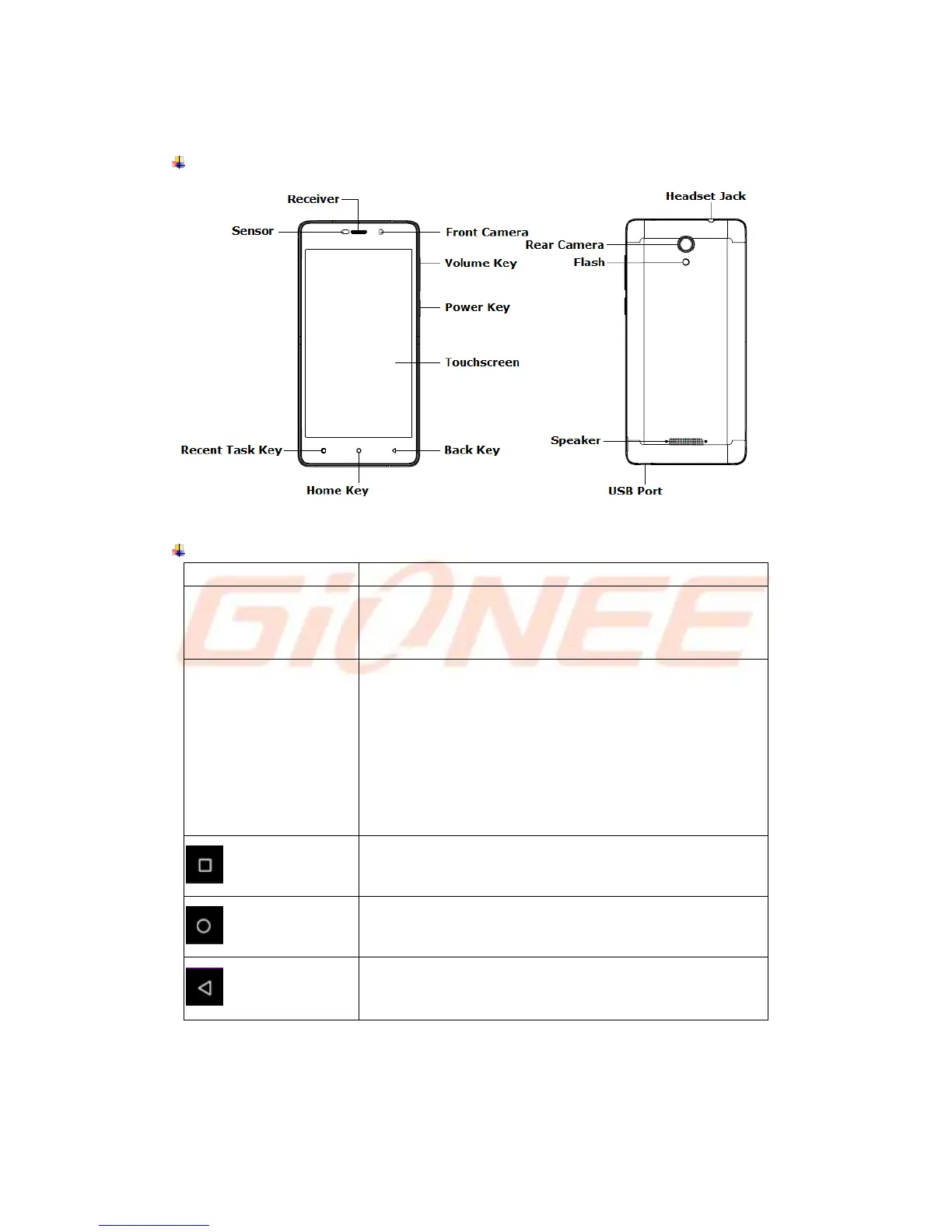
Overview
Function Keys
(Right side of the phone)
a) Press to Turns on/off the screen.
b) Press and Hold to power off or reboot the phone.
(Right side of the phone)
a) Press when call is in progress, increase or decrease the
volume, when the phone is ringing, silences the ringer. On
the home screen when no call in progress, increase or
decrease the ringtone volume or sets the phone to the silent
instead of ringing. In other applications, controls the volume
of music, spoken directions and other audio.
b) Press and hold to quickly increasing ringtone volume to
maximum or minimum.
Tap to open the list of recent used apps.
Tap to return to Home screen.
Long press the Home key to Google™ search.
Tap to return to the previous screen.
IMPORTANT
The battery of mobile phone is fixed. It cannot remove.



 To Next Page