3
3. Before using
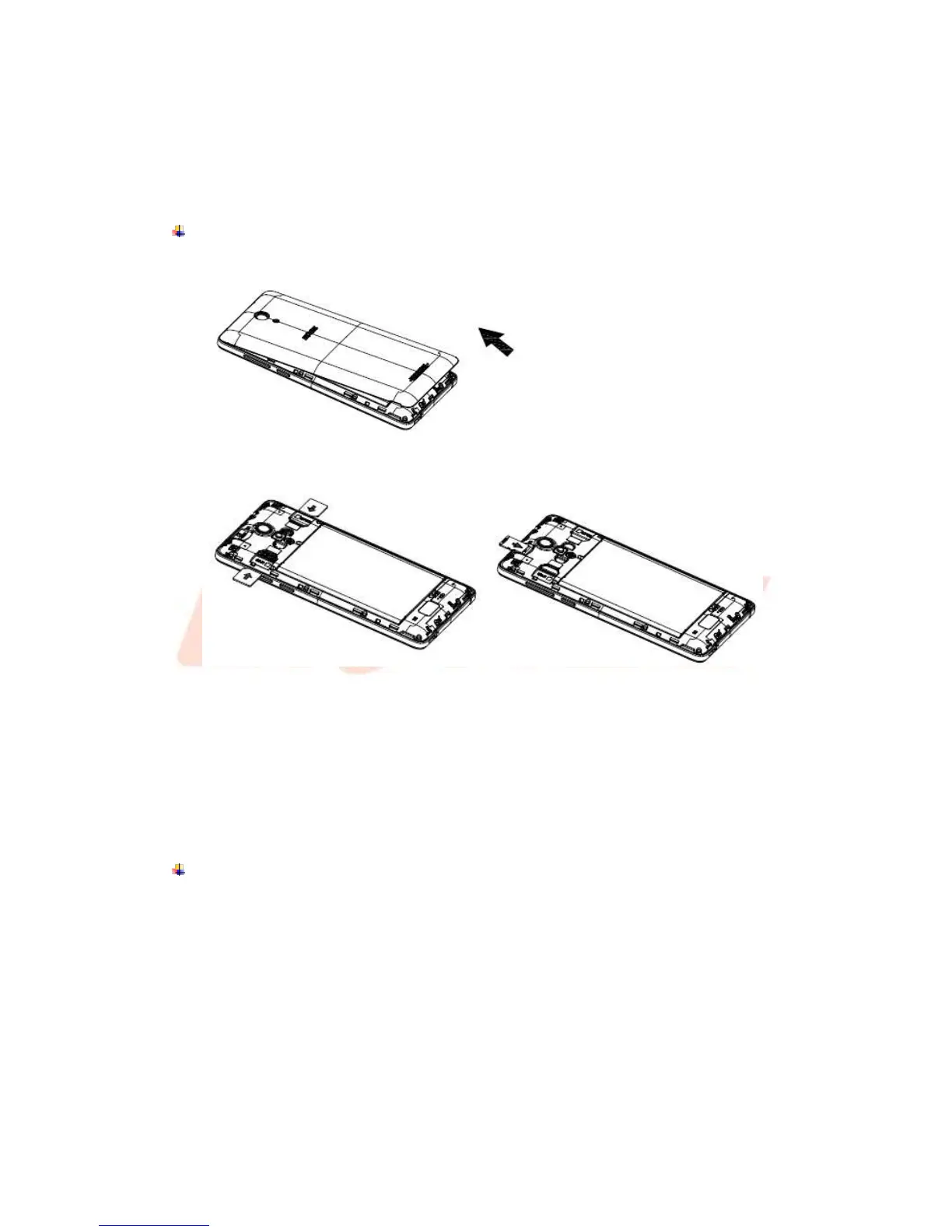
The phone is a Dual SIM mobile allowing you to use the facility of two networks. To insert
SIM card(s):
Insert SIM cards and SD card
1. Switch off the mobile phone and remove the rear cover.
2. Insert the SIM cards & SD card correctly and memory card in the card slot(s).
3. Finally replace the rear cover of the mobile phone.
Note:
1. The SIM card is a small part. Please keep away from Children to avoid swallowing the
card by accident.
2. Please do not touch the metal surface of SIM card and away from electromagnetic
field to avoid damage data.
Charge the Battery
Charge the battery before using it. Connect the USB cable to the USB power adaptor, and
then plug the end of the USB cable into the USB Port.



 To Next Page