13
Using the Timer as a Minute Minder
If you are not selecting any cooking zone
1. Make sure the cooktop is turned on.
Note: you can use the minute minder even if you’re not selecting any cooking
zone.
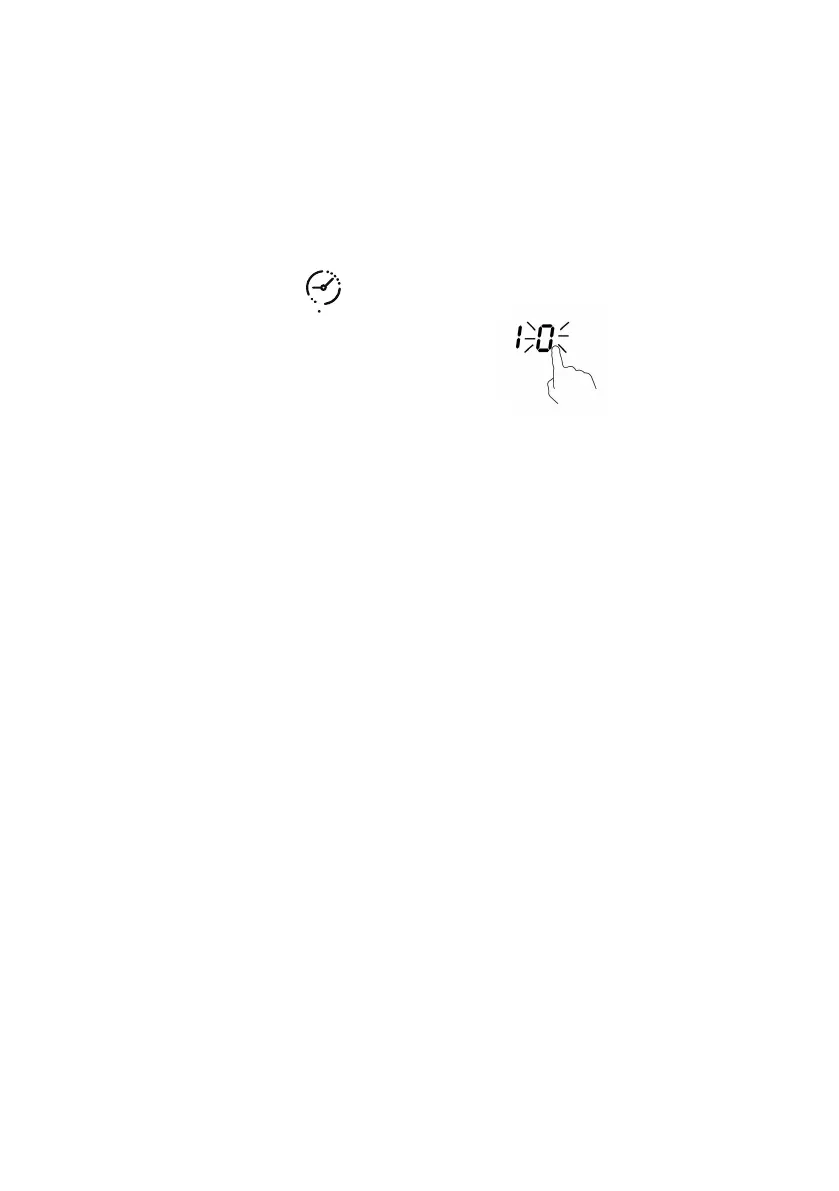
2. Touch the Timer key(F)“ ”.The minder indicator will start flashing
“10”,and you can set the timer at this point.
3. Using the “+“ or ”-” buttons,you can realize the setting of timing from
1 to 99 minutes.
Hint: Touch the “-“ or ”+” control of the timer once to decrease or increase
by 1 minute.
Touch and hold the “-“ or ”+” control of the timer to decrease or increase by
10 minutes.
Touching the “-“ and ”+” together,the timer is cancelled, and the. timer
indicator will turn off.
4. When the time is set,it will begin to count down immediately.The display will
show the remaining time .
5. Buzzer will bips for 30 seconds and the timer indicator will turn off when the
setting time finished.
Note: Minute minder only work at normal model.


 To Next Page