operating your headset
1. To power on your headset, press and hold the power button until the LED flashes Blue.
NOTE: If the LED flashes Red only, the battery will need to be charged. A low battery is also
denoted by a low tone repeated every 20 seconds.
2. To power o your headset, press and hold the power button until the LED flashes Red.
OPERATION | 09
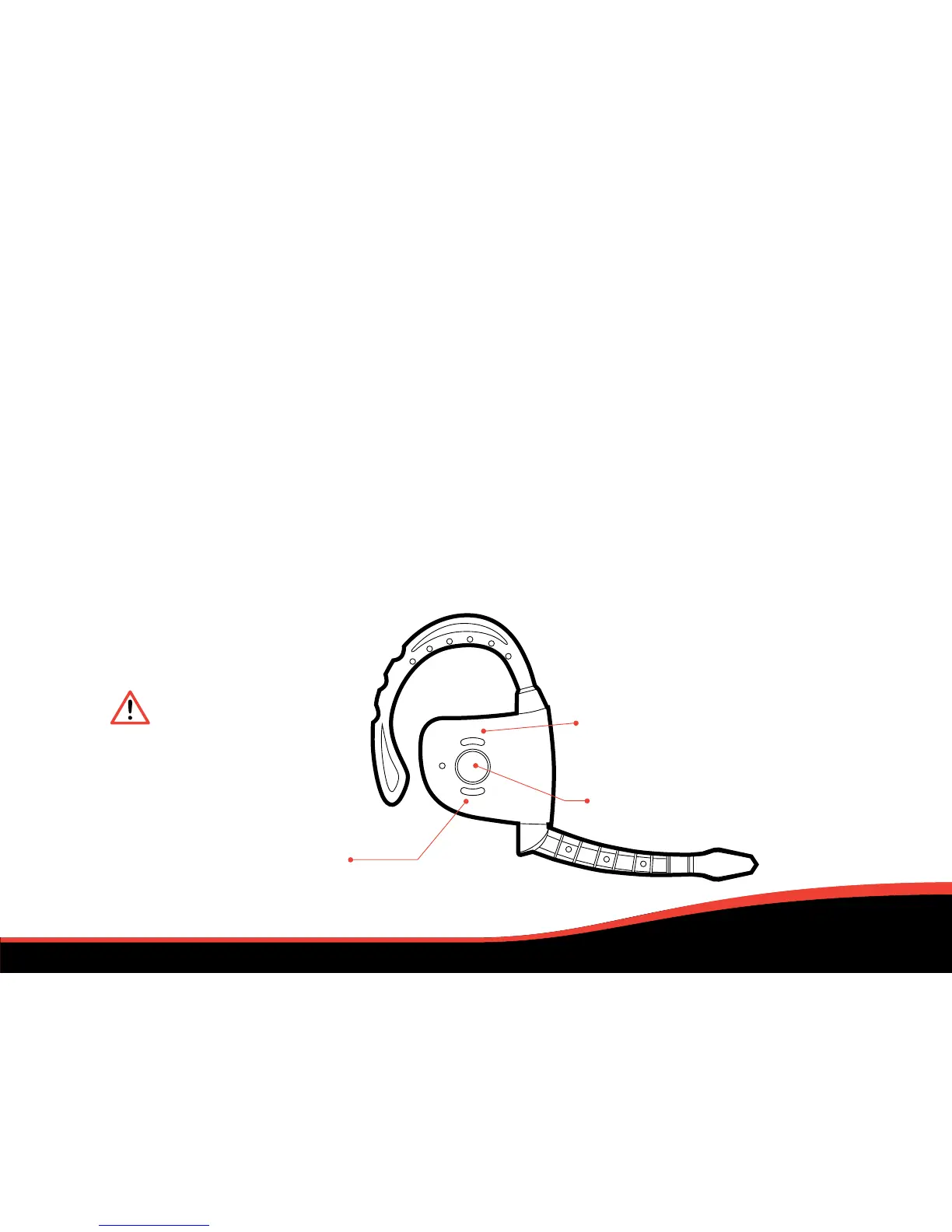
adjusting volume
Tap the + button to increase the volume
in increments until the headset reaches
your desired volume level.
Tap the - button to decrease the volume
in increments until the headset reaches
your desired volume level.
muting
Press the power button briefly (less
than 1 second) to mute the headset;
repeat the process to un-mute.
When in mute mode the LED will flash
Red & Blue every 5 seconds.
If at any point
the headset
disconnects
from the PS3™
press lightly
on the power
button to
reconnect.
VOLUME DECREASE (-)
VOLUME INCREASE (+)
POWER / MUTE / RECONNECT


 To Next Page