pairing your headset
04 | PAIRING
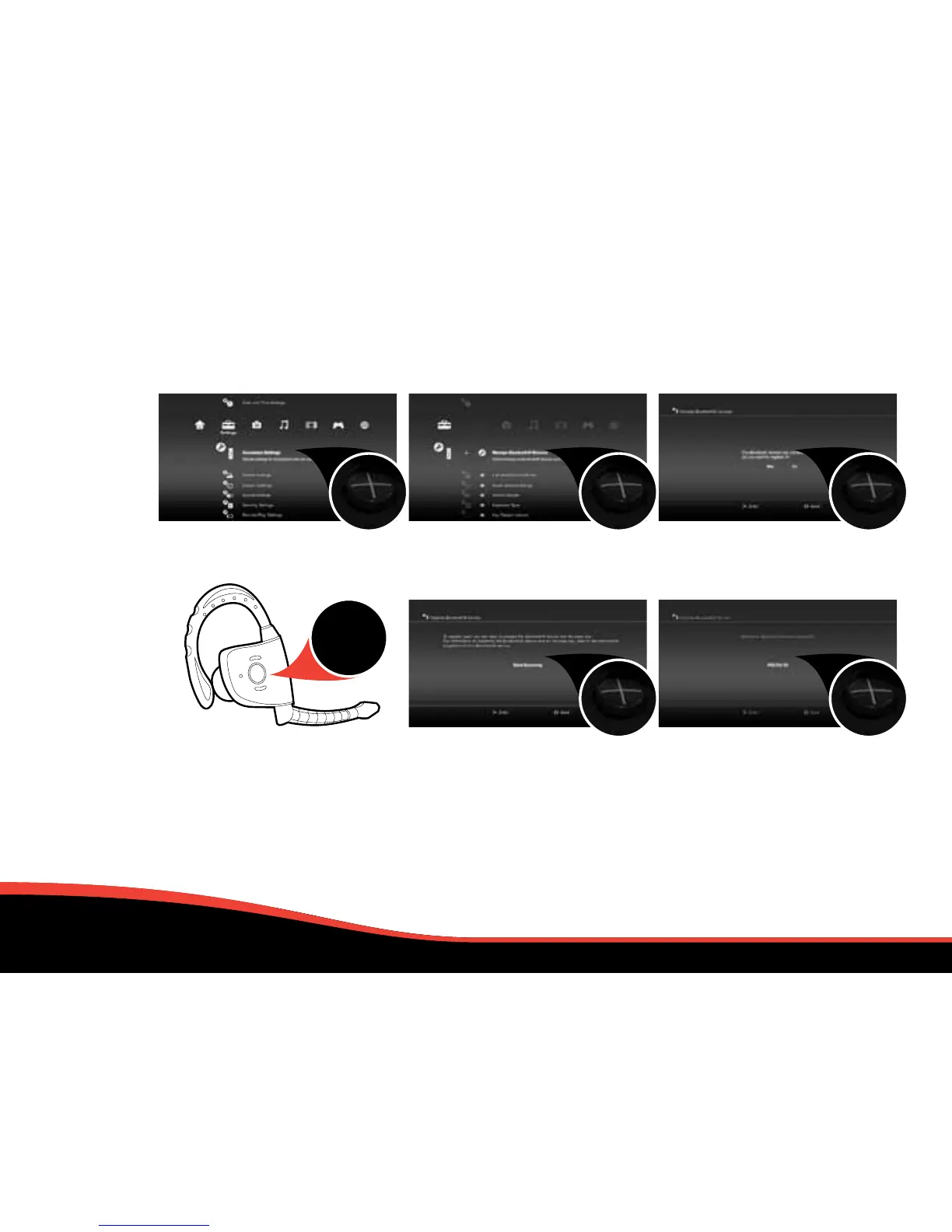
1. Within the Settings' menu,
press X on Accessory Settings.
4. At the next screen, prepare your
headset (from o) to be paired
by holding down the power button
continuously until the LEDs flash
alternate Blue & Red. When it
is connected the LEDs will flash
Blue every 2 seconds. If not
connected, it will flash blue
every 4 seconds.
2. Press X on the icon labelled:
Manage Bluetooth® Device.
5. Press X to Start Scanning.
Once the scan is complete,
the PS3™ will recognise all
Bluetooth® wireless technology
devices within range.
3. Press X on Yes to register
your Bluetooth® Device.
6. Locate PS3 EX-03 from the list
of available devices and press X.
3
SECONDS


 To Next Page