EasyManua.ls Logo

Gioteck GC-2 - User Manual

Gioteck GC-2
2 pages
Print Icon
To Next Page IconTo Next Page
Loading...
Goodbetterbest Limited
Suites 103-107, Devonshire Business Centre, Works Road, Letchworth, SG6 1GJ, United Kingdom
Tel: +44(0) 1462 472390 Email: carol@gbbgroup.com
GC2PS3-11 GC-2
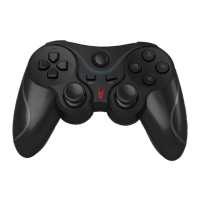
GC-2 Wireless Controller
operational Manual
Feature :
- 8 functional buttons: O, X, ,
, L1, R1
- x Triggers L2, R2
- Select / Start Button
- Home Button
- Directional Pad
- 2 x Rumble Motors
- mini joystick buttons, L3, R3
- Mini USB Jack for USB mode and battery charging
- Powered by built-in Li-ion Battery
- Channel LED, Turbo LED
- Turbo feature
- Thumb stick sensitivity
- USB mode and BT(Bluetooth) mode
- In BT mode, it supports tablets with Android 3.2+ and complaint to the SIXAXIS Controller APK.
- In USB mode, it supports tablets with Android 3.2+ and complaint to the SIXAXIS Controller APK
- Connects to PC via USB cable and functions as a USB game controller
A) Connecting the GC2PS3 game pad
To connect the GC2PS3 game pad
1. Plug in the USB cable to GC2PS3 game pad mini USB port, then connect the USB Port #1 on the PS3 Console.
This can be done with PS3 already be turned on.
2. Press the “Home” Button on the GC2PS3 game pad. The GC2PS3 will select the port automatically, and the corresponding
LEDs light.
LED PORT
1 1
2 2
3 3
4 4
1+4 5
2+4 6
3+4 7
3. Now, you can enjoy the game play with Gioteck wireless game pad in USB mode.
4.
Unplug the USB cable, the GC2PS3 will automatically connect to PS3 console by BT mode, and the corresponding LEDs light.
5. The GC2PS3 game pad is properly set up for PS3 connection. Simply press the “Home” button once to link up to PS3
for all subsequent connection.
B) Turbo function
Buttons support turbo feature are O, ,
, X, L1, L2, R1, R2
All turbo buttons are synchronized
All turbo buttons are with the same speed of 8Hz.
To program a button with Turbo function, press [TURBO] and the [button] at the same time. LED flashes in 8Hz
Press again the [TURBO] and the [button] at the same time to cancel the turbo function. LED remains OFF.
Once power off, all buttons returns to default without Turbo function.
C) Thumb stick sensitivity
4 levels settings are available.
Level 1 is normal in 100%
Level 2 is with 75%, moves the thumb stick 1.5 times faster in speed
Level 3 is with 50%, moves the thumb stick 2 times faster in speed
Level 4 is with 25%, moves the thumb stick 4 times faster in speed
To set up the sensitivity, press and hold the [Turbo] button, flick the thumb stick left and right to toggle and advance to

Other manuals for Gioteck GC-2

Question and Answer IconNeed help?

Do you have a question about the Gioteck GC-2 and is the answer not in the manual?

Gioteck GC-2 Specifications

General IconGeneral
Connection TypeWired
Vibration FeedbackYes
TypeGamepad
Analog Sticks2
Platform CompatibilityPC
Cable Length2 meters

Summary

GC2 PS3 Game Pad Connection

USB Connection

Connects the game pad via USB cable to the PS3 console for initial setup and gameplay.

Bluetooth Connection

Automatic connection to PS3 via Bluetooth after initial USB setup.

Turbo Functionality

Programming Turbo

Enables turbo feature on buttons by pressing TURBO and the desired button simultaneously.

Turbo Speed

All turbo buttons operate at a synchronized speed of 8Hz.

Thumb Stick Sensitivity Settings

Sensitivity Levels

Offers four levels of thumb stick sensitivity, affecting movement speed and responsiveness.

Adjusting Sensitivity

Set sensitivity by holding Turbo and flicking the thumb stick left/right.

Power Management System

Automatic Shutdown

The controller automatically turns off after periods of inactivity to conserve power.

Forced Shutdown

Force turn off the controller by pressing and holding the Home button for 15 seconds.

Battery Status and Charging

Low Battery Indication

Port LED flashes at 4Hz, and motors shut down when the battery is low.

Charging Indication

LEDs indicate charging status; they light up or flash when charging and turn off when complete.

Troubleshooting Guide

Bluetooth Headset Conflict

Ensure only the GC2PS3 Bluetooth game pad is linked to PS3 if issues arise with headsets.

USB Cable Functionality

The USB cable is solely for battery charging; it does not wake the game pad.

Sensitivity Reset

Thumb stick sensitivity resets to default (100%) upon controller power-up.

Regulatory Compliance and Warnings

FCC and IC Compliance

Device complies with FCC Part 15 and Industry Canada license-exempt RSS standards.

Safety Warnings

Disclaims responsibility for interference from unauthorized modifications and warns against misuse.

Related product manuals