ENUSER’S MANUAL BR15
46
9. CONFIGURATION OF THE READJUSTMENTS IN CALIBRATION
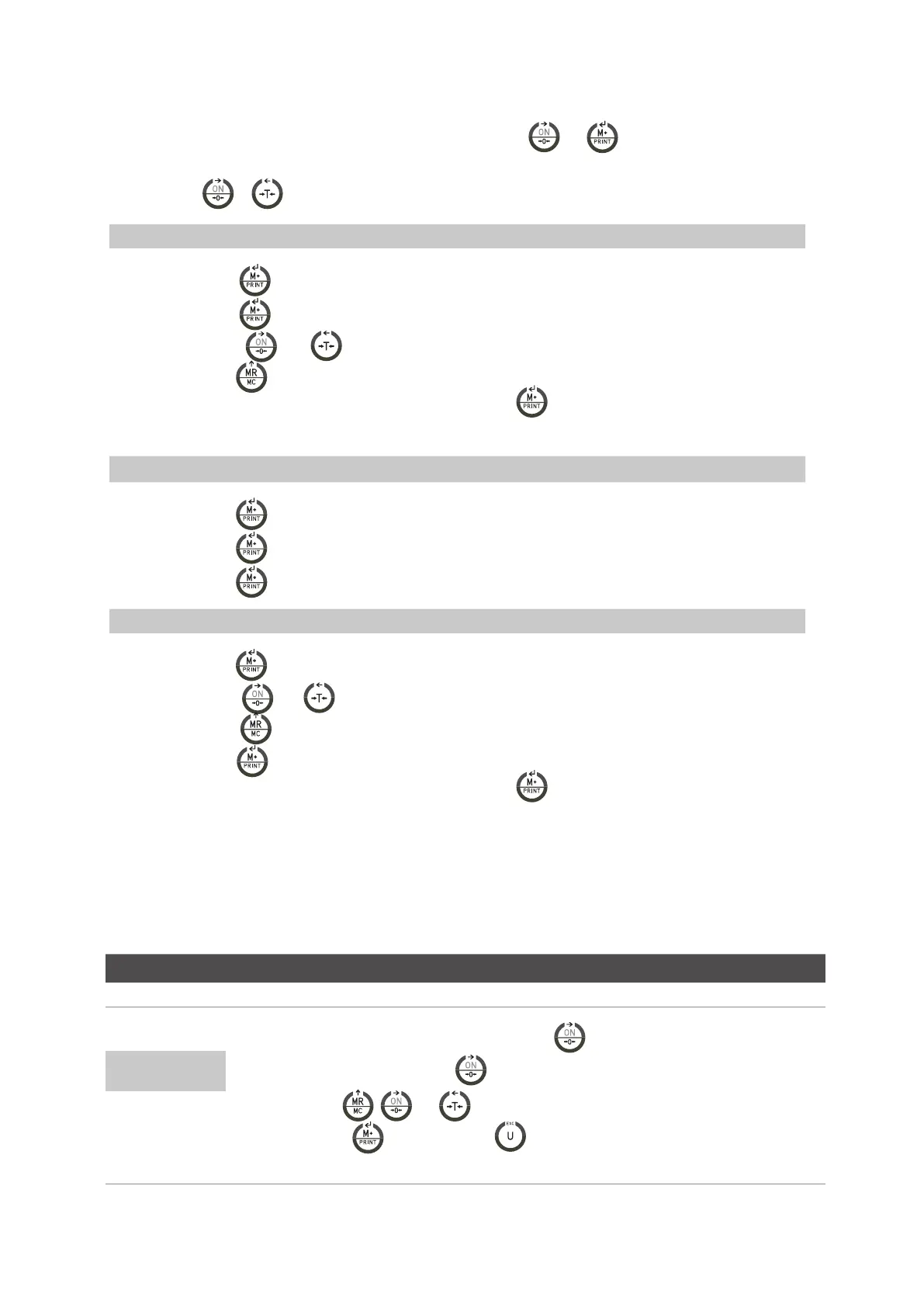
1. When the user is in the normal mode of weighing, he must press the keys
and , the message ECF-1 is going to appear
on the display.
2. Press the keys
or to select the desired function: ECF-1, ECF-2 or ECF-3
* ECF-1 CALIBRATION OF ZERO + WEIGHT
Press the key ,the display will show CALZ.
Press the key ,to put the reading of the display to zero.
Press the keys
and to move the cursor.
Press the key to introduce the value of the weight of calibration.
Place the weight of calibration on the platform and press the key to do the calibration once the reading is
steady.
* ECF-2 CALIBRATION OF ZERO
Press the key , the display will show CALZ.
Press the key , to put the reading of the display to zero.
Press the key , to calibration.
* CALIBRATION OF WEIGHT (SPAN)
Press the key , the display will show the value of the weight of calibration.
Press the keys
and to move the cursor.
Pulsar la tecla to modify the value of the weight of calibration.
Pulsar la tecla
to confirm.
Place the weight of calibration on the platform and press the key
to do the calibration once the reading is
stable.
10. TECHNICAL PARAMETERS
DO NOT MODIFY THE TECHNICAL PARAMETERS IF IT IS NOT STRICTLY NEEDED. A BAD CONFIGURATION OF THIS SECTION
CAN CAUSE A WRONG FUNCTIONING OF THE SCALE.
ENTRANCE AND EXIT OF THE CALIBRATION
DISPLAY DESCRIPTION AND SEQUENCE OF USE
• With the visor switched off, press and hold the key
until the message P000, appears on the
screen, then you can release the key
.
• With the keys ,
and introduce the code 0020.
• Press the key
to start or the key to exit the menu and the indicator will begin again
automatically.
LF 1



 To Next Page