49
ENUSER’S MANUAL BR15
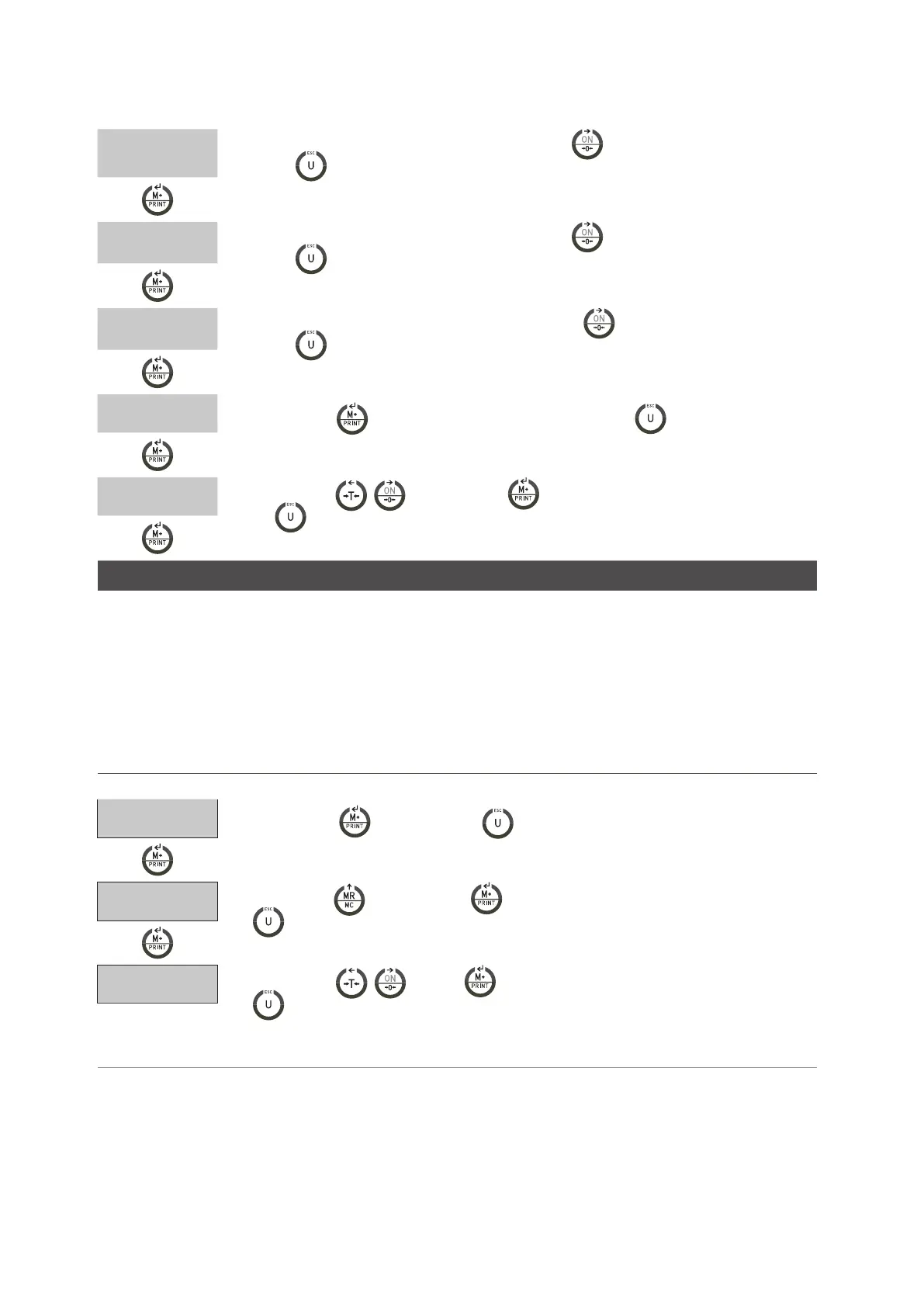
W1
• Place 1/3 of the maximum weight on the plate and press to calibrate 2/3 th the capacity. (press
the key
to exit from the calibration and go back to the menu LF3)
W2
•Place 2/3 of the maximum weight on the plate and press to calibrate 2/3 th the capacity. (press
the key
to exit from the calibration and go back to the menu LF3)
W3
•Place the maximum weight on the plate and press the key to calibrate the full capacity. (press
the key
to exit from the calibration and go back to the menu LF3)
W4
•Press the key to complete the lineal calibration. (press the key
to exit from the calibration
and go back to the menu LF3)
LF3
•Use the keys , and then the key to continue with other adjustments and press the
key
to exit from the menu and the scale will begin again automatically.
SPEED OF THE AD CONVERTER LF 4
SPEED 1 standard speed 15Hz.
SPEED 2 high speed 30Hz.
SPEED 3 low speed 7.5Hz
*This function stays blocked when UF-5 is in mode HOLD 1.
*The value of factory is 1
DISPLAY DESCRIPTION AND SEQUENCE OF USE
LF4
•Press the key to start or the key to exit from the menu and the scale is going to begin
again automatically.
SPEED 1
•Use the key and then the key to select the speed of the AD converter ( press the key
to exit from the configuration and go back to the menu LF4)
LF 4
•Use the keys , and then To continue with the other adjustment and press the key
to exit from the menu and the scale will start again automatically.



 To Next Page