Need help?
Do you have a question about the Gitzo GHF2W and is the answer not in the manual?
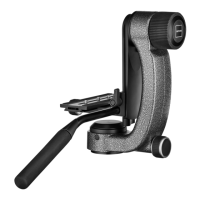
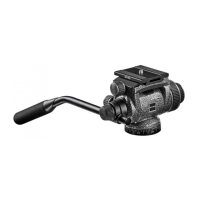
Assemble the handle bar "A" as shown in the figure, adjust length with knob "B".
Loosen screw "C" and lift the plate out of the quick release adaptor.
Tighten the plate using a coin, key, or flip ring. Can be mounted in different directions.
Insert equipment and plate, tighten knob "C". Includes safety pin.
Ensure tilt knob "F" is tight, turn knob "H" to "OFF", then unscrew knob "F".
Unscrew knob "F", move equipment to zero, turn knob "H" to "ON".
Steps to find the balance point by adjusting knob "H" and equipment position.
Repeat balancing steps, selecting specific positions for maximum capacity.
Steps to detach the equipment from the head.
N Pan control knob (friction/lock 360°), F Tilt control knob (friction/lock +90/-60°).
 General
| Material | Aluminium, Magnesium |
|---|---|
| Attachment | 1/4 \ |
| Product color | Black |
| Tripod head type | Ball |
| Built-in spirit level | No |
| Maximum weight capacity | 4 kg |
 Weight and Dimensions
| Height | 55 mm |
|---|---|
| Weight | 590 g |
| Base diameter | 60 mm |

 To Next Page