Need help?
Do you have a question about the Gitzo ACCSS8032 and is the answer not in the manual?
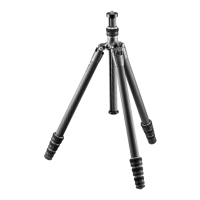
Extend tripod legs and adjust angles using built-in stops for desired height.
Mount accessories, manage column height, and utilize fixing screw and hook.
Guidance on cleaning and lubricating leg locks for optimal performance.
Use only tripods recommended by the laser scanner manufacturer.
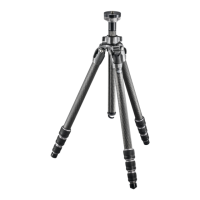
GITZO ACCSS8032 is certified for use with FARO Focus laser scanners.
Laser scanners require stable and rigid tripods due to long recording times and movement.
Extend tripod minimally, extend thicker segments before thinner ones for stability.
Standard height approx. 148cm by extending three of four leg segments fully.
Use rubber feet on stable ground; spikes on unstable ground for firm planting.
Check leg latches after setting up; spread legs slightly to ensure they cannot wiggle.
Using the center column significantly reduces tripod rigidity for laser scanners.
Avoid center column use; keep it short or move tripod if higher position is needed.
Slide leg segments together for flat angle; rubber feet recess aids full contact.
Ensure twist-lock sleeves, wing nut, and tripod head are tightly screwed together.
Slightly tension legs before scanning in vibration-prone locations for stability.
Use sandbags on feet or stretch rope/cord from center hook for stability in wind.
Provides codes for various replacement parts like rubber feet, spikes, columns, and screws.
Instructions to download illustrated spare parts file from gitzo.com customer service.
 General
| Brand | Gitzo |
|---|---|
| Model | ACCSS8032 |
| Category | Camera Accessories |
| Language | English |

 To Next Page