5
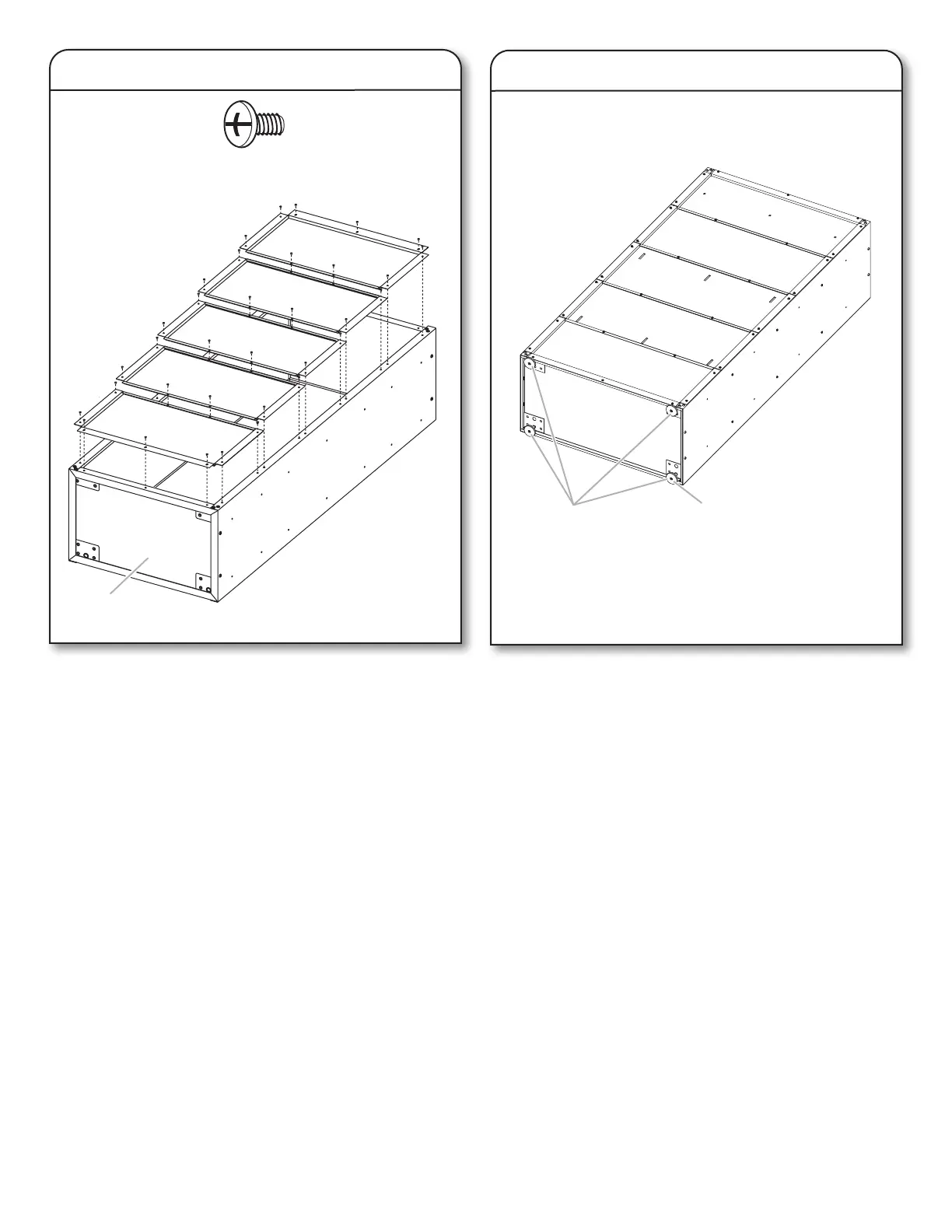
2. Attach Back Panels
3. Install Leveling Feet
■ Attach the back panels starting at the top of the cabinet with
back panel (AAA) and working down to the cabinet bottom.
Each back panel will overlap the panel below.
■ Do not completely tighten the screws until all back panels are
in place.
1. Align back panel (AAA) with the holes in the cabinet top. Using
7 pcs Phillips-head screws (F3), attach back panel (AAA) to
the cabinet top and sides.
2. Slide the top of back panel (BBB) under the bottom of back
panel (AAA). Using 4 pcs Phillips-head screws, fasten back
panel (BBB) to the cabinet sides.
3. Repeat Step 2 for the remaining back panels ending with back
panel (EEE).
4. Using 2 pcs Phillips-head screws, attach each back panel to
the panel below.
5. Using 3 pcs Phillips-head screws, attach panel (EEE) to the
cabinet bottom (P3).
6. Completely tighten all back panel screws starting with the
sides and continuing with the top, middle and bottom.
7. Using the hex key (provided), completely tighten all 24 pcs
cabinet bolts and nuts.
1. Screw a leveling foot (P4) into each of the 4 pcs rivet nuts
located at the corners of the cabinet bottom as shown.
2. Stand the cabinet upright on to its leveling feet.
F3
Phillips-head screw (34)
A
AAA
BBB
CCC
DDD
EEE
P4
P1
P3
A. Leveling feet
A. Cabinet Bottom


 To Next Page