EasyManua.ls Logo

Global Industrial 292853 - User Manual

Global Industrial 292853
18 pages
Print Icon
To Next Page IconTo Next Page
Loading...
1
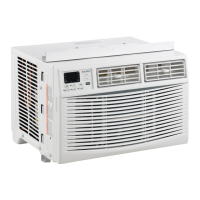
Electronic Window Air Conditioner
062019
User's manual Manual del usuario Manuel de l'utilisateur
Customer Service
US: 1-800-645-2986
Servicio de atención al Cliente
US: 1-800-645-2986
Service à la clientèle
Canada: 888-645-2986
Plug into a grounded 3 prong outlet.
DO NOT remove the ground prong.
DO NOT use a plug adapter.
DO NOT use an extension cord.
Unplug the air conditioner before servicing
Two people are recommended to lift and install the unit.
Contact a qualified service technician for maintenance
and replacement of the refrigerant R32.
The electrical ratings for your air conditioner are listed on
the model and serial number label located on the front,
left side of the unit (when facing front).
Recommended Ground Method
For your personal safety, this air conditioner must be
grounded. This air conditioner is equipped with a 3 prong
power supply cord and a grounded plug. To minimize the
possibility of electrical shock, the cord must be plugged
into a 3 prong outlet and grounded in accordance with
all local codes and ordinances. If a 3 prong outlet is not
available, it is the customers responsibility to have a
proper 3 prong outlet installed by a qualified electrician.
It is the customers responsibility:
To contact a qualified electrician
To assure that the electrical installation is
adequate and in conformance with the National
Electrical Code, ANSI/NFPA 70 - latest edition, and
all
local codes and ordinances.
LCDI Power Cord and Plug
This air conditioner is equipped with an LCD (Leakage
Current Detection and Interruption) power cord that is
required by UL. This power supply cord contains state-
of-the-art electronics that sense current leakage. If the
cord is damaged and leakage occurs, power will be
disconnected from the unit.
The test and reset buttons on the LCDI plug are used to
check if the plug is functioning properly. To test the plug:
1. Plug power cord into a grounded 3 prong outlet.
2. Press RESET (on some units a green light will turn on).
3. Press the TEST button, the circuit should trip and cut
all power to the air conditioner (on some units a green
light will turn off).
4. Press the RESET button for use. You will hear a click
and the A/C is ready for use.
Model 292853 08,000 BTU, Cool Only, Energy Star, Wifi Enabled, 115V
Model 293069 10,000 BTU, Cool Only, Wifi Enabled, 115V
Model 292854 12,000 BTU, Cool Only, Energy Star, Wifi Enabled, 115V
WARNING
Read all instructions before use.
To reduce the risk of fire, electric
shock, or injury to persons when
using this appliance, follow the
following precautions:

Questions and Answers

Summary

Safety and Grounding

Recommended Ground Method

Ensures the air conditioner is properly grounded for personal safety and to minimize electrical shock risks.

LCDI Power Cord and Plug

Details the Leakage Current Detection and Interruption power cord and its test/reset functions.

Installation and Assembly

Installation & Assembly Instructions

Provides guidance on installing the air conditioner in a standard double-hung window, including panel and clearance requirements.

Top Rail Assembly

Instructions for assembling the top rail to the air conditioner unit prior to window installation.

Installation Procedure

How to Install

Step-by-step guide for physically installing the air conditioner into a window, including panel adjustment and securing.

Removing AC From Window

Instructions on how to safely remove the air conditioner from the window, including power disconnection.

Air Conditioner Use

Guidance on proper operation, including important notes on turning the unit on/off and operating temperatures.

Control Panel and Modes

Electronic Control Panel & Remote Control

Overview of the control panel and remote, showing temperature display and button functions.

Normal Operating Sounds

Describes common sounds the air conditioner may make during normal operation.

Air Conditioner Controls

Detailed explanation of each control button and operating mode (Cool, Dry, Fan, Auto, Timer, Eco, Sleep, Fan Speed).

Remote and Maintenance

Remote Control

Information on the remote control, including battery insertion/replacement and general notes.

Care and Cleaning

Instructions for cleaning the air filter, cabinet, and general wear and tear prevention.

Troubleshooting

The Air Conditioner will not start.

Troubleshooting steps for when the air conditioner fails to power on.

The Air Conditioner does not cool as it should.

Solutions for cooling performance issues, including airflow, temperature settings, and filter status.

The Air Conditioner is freezing up.

Guidance on addressing the air conditioner coils freezing up due to airflow or temperature settings.

The Remote Control is not working.

Steps to diagnose and fix issues with the remote control not functioning.

Water is dripping outside.

Explanation for water dripping from the outside of the unit, considered normal under certain conditions.

Water is dripping inside the room.

Troubleshooting for water dripping inside the room, often related to unit tilt.

Water collects in the base pan.

Information regarding water collection in the base pan as a normal part of dehumidification.

Digital Display reads E1, E2.

Action to take if the digital display shows error codes E1 or E2, indicating a sensor failure.

Global Industrial 292853 Specifications

General IconGeneral
BrandGlobal Industrial
Model292853
CategoryAir Conditioner
LanguageEnglish