extender cable that supports only 38KHz.
⑦ Power input: Plug the 12V DC power supply into the unit and connect the
adaptor to an AC wall outlet.
■ Connections and Operations
1) Connect the HDMI input source ( such as HD-DVD/
PS3/STB etc.)Into MX88.
2) Connect HDMI OUT of MX88 to display equipment.
3) Connect the Broadband IR receive cable into MX88 IR
RX ports.
4) Power on the input source you want to show. ( Keep
the unused input power off, otherwise it may interfere
the normal display).
5) Plug the power cable into MX88.
6) Turn on the power, when the LED panel stops flashing circularly, the
initialization of the matrix are ready.
7) Turn on the displays you want to watch.
8) Use the remote to control the matrix, or using Front Panel, RS232 and LAN
port to control.
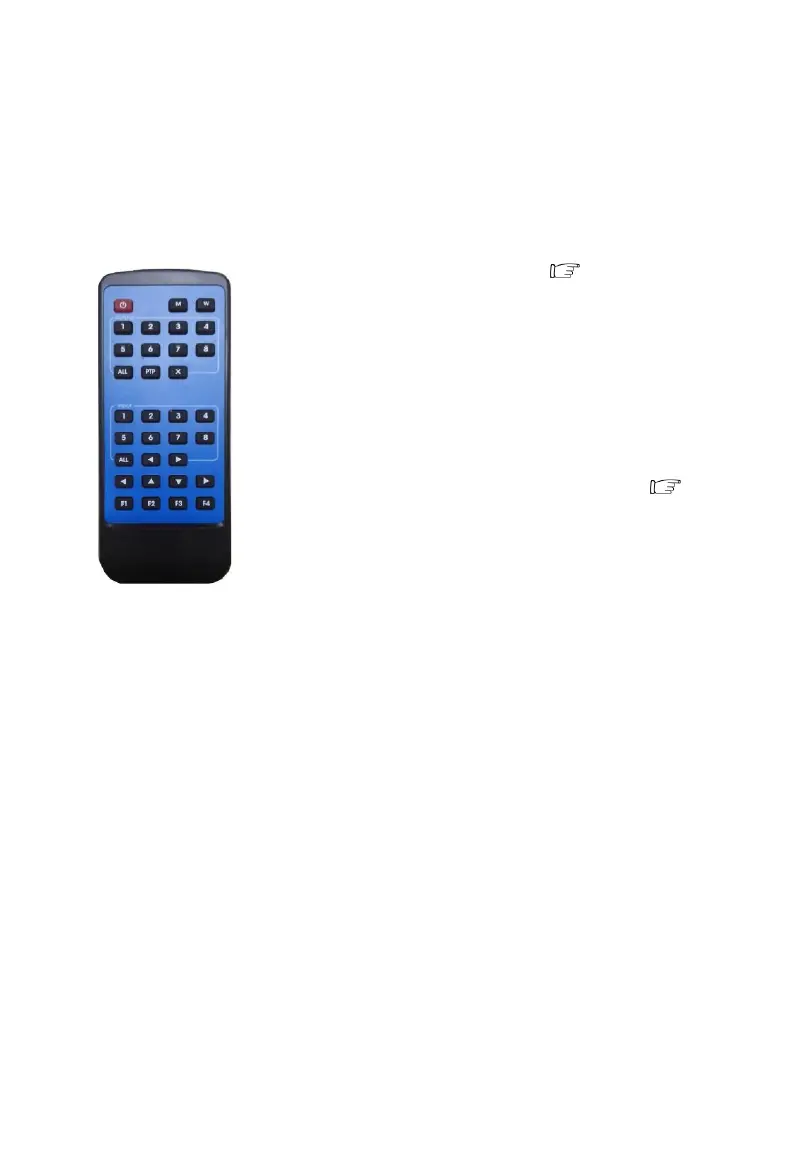
2. Control via IR remote.
User can control the HDMI route of the matrix by using the IR remote. There are two group key
pads for sixteen ports. Press the output source selection button in order to choose which input port
corresponds to the desired output port. (For example: Output 8 select Input 7, first press output 8,
then press input 7, LCD display 8-7)



 To Next Page
 Loading...