
 Need help?
Do you have a question about the GLOBBER EVO COMFORT Series and is the answer not in the manual?
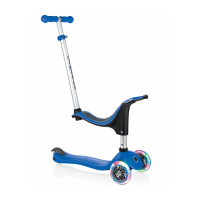
Attaching the seat support frame & seat heights for child comfort and proper fit.
Instructions for attaching seat bracket, handlebar tube, and adjusting handle height.
Guide to removing handlebars and attaching the seat for walking bike functionality.
How the child steers and parent guidance for initial use of steering.
Instructions for inserting the T-bar into the deck for secure scooter operation.
Explains ON (sound/lights), MUTE (lights only), and OFF modes for the module.
Steps to remove, select mode (MUTE/ON), and reinsert the light & sound module.
Details on charging the built-in rechargeable battery using a Micro USB cable.
Safety warnings regarding the long cable (strangulation hazard) and battery.
Explains intuitive body steering and the steering blocking system for balance.
 General
| Category | Scooter |
|---|---|
| Model | EVO COMFORT Series |
| Max. Weight Allowance | 50 kg |
| Adjustable T-bar | Yes |
| Handlebar Height Adjustable | Yes |
| Brake | Rear brake |
| Weight | 2.5 kg |



 To Next Page