EasyManua.ls Logo

Globo hd-x110p - User Manual

Globo hd-x110p
8 pages
Print Icon
To Next Page IconTo Next Page
Loading...
ModelID:HD X 110p 2/2011
Quick Start
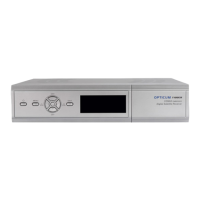
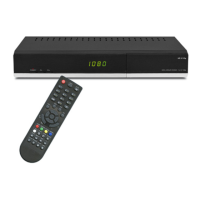
Digital Satellite Receiver HD
One slot for Smart Card in Conax system
One slot for Common Interface Module
Support of SD / HD (MPEG2 / MPEG4
H.264), DVB-S, DVB-S2 system
High resolution video output - HDMI
USB connector compliant with USB 2.0
standard
PVR Ready - possibility to record on
external USB drive
Time Shift (video pausing, rewinding)
Low power consumption in Stand-by
mode, below 1W
Compatible with Diseqc 1.0, 1.1, 1.2, and
USALS
Electronic Program Guide EPG
Front panel display - LED 4 digit

Questions and Answers

  • J
    jacob23Aug 12, 2025
    What to do if there is no sound at all from my Globo hd-x110p?
    • M
      mhowardAug 12, 2025
      If you are experiencing a complete lack of sound, first ensure that the receiver is not muted. If it isn't muted, check the volume level and increase it if it's too low. Finally, verify that the cable is correctly connected.
  • T
    Tammy McguireAug 16, 2025
    Why is my Globo hd-x110p showing no picture?
    • J
      Jeffery GlassAug 16, 2025
      If your Globo Receiver displays no picture, ensure the output cord is correctly connected. Also, verify that the video output mode of the unit matches the mode of your monitor by using the MODE button to set the proper working mode.
  • R
    Robert BlevinsAug 19, 2025
    Why is the remote control for my Globo Receiver failing to work?
    • M
      Mary MurphyAug 19, 2025
      If the remote control isn't working, make sure the batteries are correctly installed and not exhausted; replace them if needed. Ensure you are within the effective operation range of the remote. Also, bright light might interfere with the remote sensor, so try placing the unit elsewhere.
  • Z
    zacharyritterAug 23, 2025
    Why is my Globo Receiver not showing color?
    • D
      David GrantAug 23, 2025
      If your Globo Receiver is not displaying color, first check that the output cord is correctly connected. If the connection is correct, ensure the video output system of the unit matches the mode of your monitor. You can set the proper working mode using the MODE button.
  • J
    jgarrettAug 27, 2025
    What to do if my Globo hd-x110p cannot scan programs?
    • J
      Jay DeanAug 27, 2025
      If your Globo Receiver is unable to scan programs, first adjust the antenna. If adjusting the antenna doesn't resolve the issue, verify that you have correctly inputted the Satellite, Frequency, SR, and Polarization parameters.
  • D
    Dr. Jordan HenryAug 30, 2025
    How to fix serious distortion on my Globo hd-x110p Receiver?
    • W
      wsmithAug 30, 2025
      If you are experiencing serious distortion or cannot receive a signal normally on your Globo Receiver, adjust the antenna to reduce interference.
  • S
    Sharon StewartSep 4, 2025
    What to do if my Globo hd-x110p cannot play scrambled channels?
    • D
      Danny SheltonSep 4, 2025
      If your Globo Receiver cannot play scrambled channels, make sure the smart card or CI module is correctly inserted into the slot, with the smart card chip side up in the integral card reader. If the card is inserted correctly, it may not be activated.
  • A
    Alexis BaileySep 7, 2025
    How to fix a Globo hd-x110p that has no power?
    • E
      Edward Martinez Jr.Sep 7, 2025
      If your Globo Receiver has no power, ensure the power cord is tightly plugged into the outlet and turn the power on. If there is still no power, turn off the power again and turn it back on in 5-10 minutes.

Summary

Digital Satellite Receiver HD Features

PVR and Time Shift

Offers PVR Ready functionality for recording and Time Shift for pausing/rewinding.

Remote Controller Buttons

Basic Connection Guide

Connecting Receiver to TV and LNB

Steps to connect LNB/Antenna to receiver and receiver to TV via HDMI or SCART.

Operating Notes: External USB Drive

USB Drive Requirements and Handling

Guidelines for using USB drives, including compatibility, formatting, power, and safe disconnection.

Easy Installation Process

Restoring Default Channel List

Procedure to restore the receiver's default channel list via the menu.

Configuring Satellite Installation

Steps to configure satellite installation, including antenna setup and satellite selection.

Scanning Custom Channel List

Process to create a custom channel list by scanning satellites.

Menu Structure and Functions

Recording and Timeshift (REC)

Manage timeshift function, recording, and playback of recorded movies.

Troubleshooting Common Issues

No Power or Scrambled Channels

Solutions for power issues, smart card/CI module problems, and scrambled channels.

Safety Precautions and Warnings

Electrical Shock and Fire Hazards

Warnings about lightning symbols, opening the cabinet, and fire risks from objects/cords.

Usage Environment and Water Avoidance

Precautions against using the unit in wet conditions or near water sources.

Declaration of Conformity and Technical Specifications

Globo hd-x110p Specifications

Power IconPower
rated voltage230V, 50Hz
rated consumption12 W
standby consumption< 1 W
Operating Environment IconOperating Environment
operating temperature5-40 ℃
operating humidity<95%
Video and Audio IconVideo and Audio
video decodingMPEG2(MP@ML), AVC/H.264(HP@L4.1)
video resolution480, 576, 720, 1080
audio decodingMPEG-1, 2 Layer 1 & 2
Ports & Interfaces IconPorts & Interfaces
rf input connectorIEC169-24, Female, 300mA
rf loop connectorIEC169-24, Female
rear panel connectorsHDMI, SCART, Coaxial digital audio, RCA CVBS, RCA audio stereo, USB, RCA 12V output
Weight and Dimensions IconWeight and Dimensions
net weight1 kg
receiver measurements265mm × 170mm × 43mm

Related product manuals