13
MODE OF USE ULTRASOUNDS PROGRAMS
Use
- Insert the adaptor supplied with the unity.
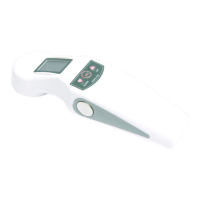
- Put some gel on the ultrasonic probe.
- Push the button “Up” to turn on the device. The default time is
10 minutes and the maximum temperature on the probe is 40°.
- Both the temperature and the Timer are displayed every 3 sec.
- Push the button “Up” or “Down” to select directly the desired
power.
- choose the intensity level between the 9 available ones.
- to switch off the device lead the intensity to the 0 level and
push “Down”.
- to change the default setting push the button “Set” one
time,the “Timer” will flash lights on the display.
- push the button “Up” and “Down” to set up the desired time
(from 0 to 30 min). When you have finished the setting up push
“Set” once.
- the unit places itself on stand-by.
- the intensity level of the device will automatically reduce, when
the temperature will be set up at maximum level.
- push the button “Up” or “Down” to select the power.
- At the end of the program the device will switch off
automatically
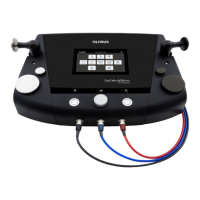
ATTENTION: during the self-treatment the fingers have to be
placed on the polar plates sides, carrying out circular motions on
skin with the metal side of the treatment head.
Mode of application
The air lessens the ultrasounds, so it is necessary to always
interject a certain quantity of gel for ultrasounds, between the



 To Next Page