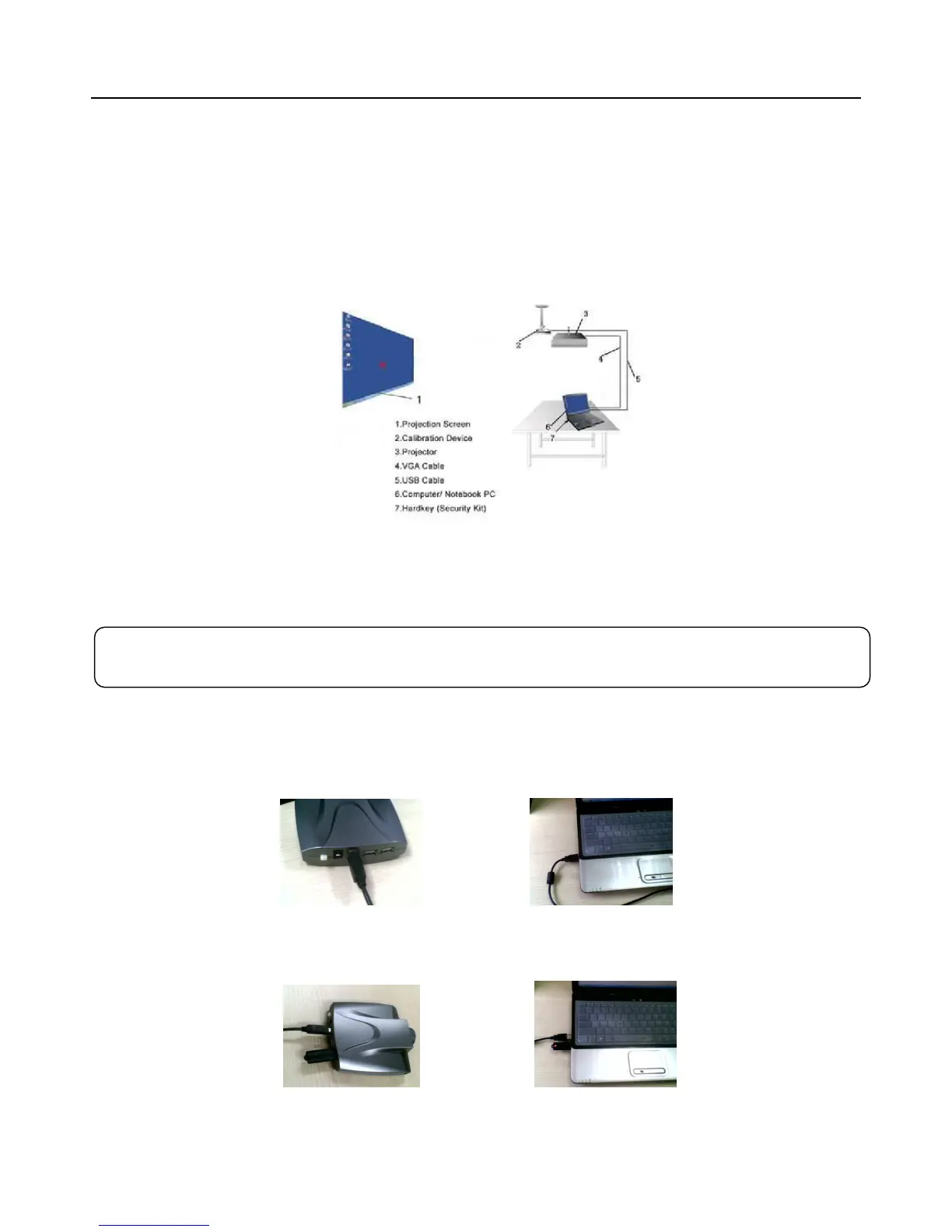
Hardware Installation
Install Calibration Device
Install the Calibration Device to the ceiling with the mount and the distance to the front of the projection screen /
surface (based on 80’’ Projection Screen) should be approximately 2.5- 3m (for Long Throw Model LP1O) or 1.2m
(for Short Throw Model SP1O).
Turn LCD TV screen into interactive: Connect the computer with the LCD TV through VGA cable and then
follow the following steps.
Connect Calibration Device
Connect the Calibration Device to the Computer (Laptop) with USB Cable as like Picture 1 and Picture 2. (Plug
USB Cable into one of back ports of computer. For Laptop, extra power may be needed
Picture 1 Picture 2
Then plug the key to the Calibration Device (as like Picture 3) or the computer (as like Picture 4).
Picture 3 Picture 4
Please note: If there is already a Video Camera/Webcam in the computer/Laptop, please disable it



 To Next Page