Next, please connect USB with computer again and keep adjusting the location or angel of calibration
device or move any strong light until there is no green dot or box in the viewing window. Please note: If
there is any green box in this red screen, calibration will not work.
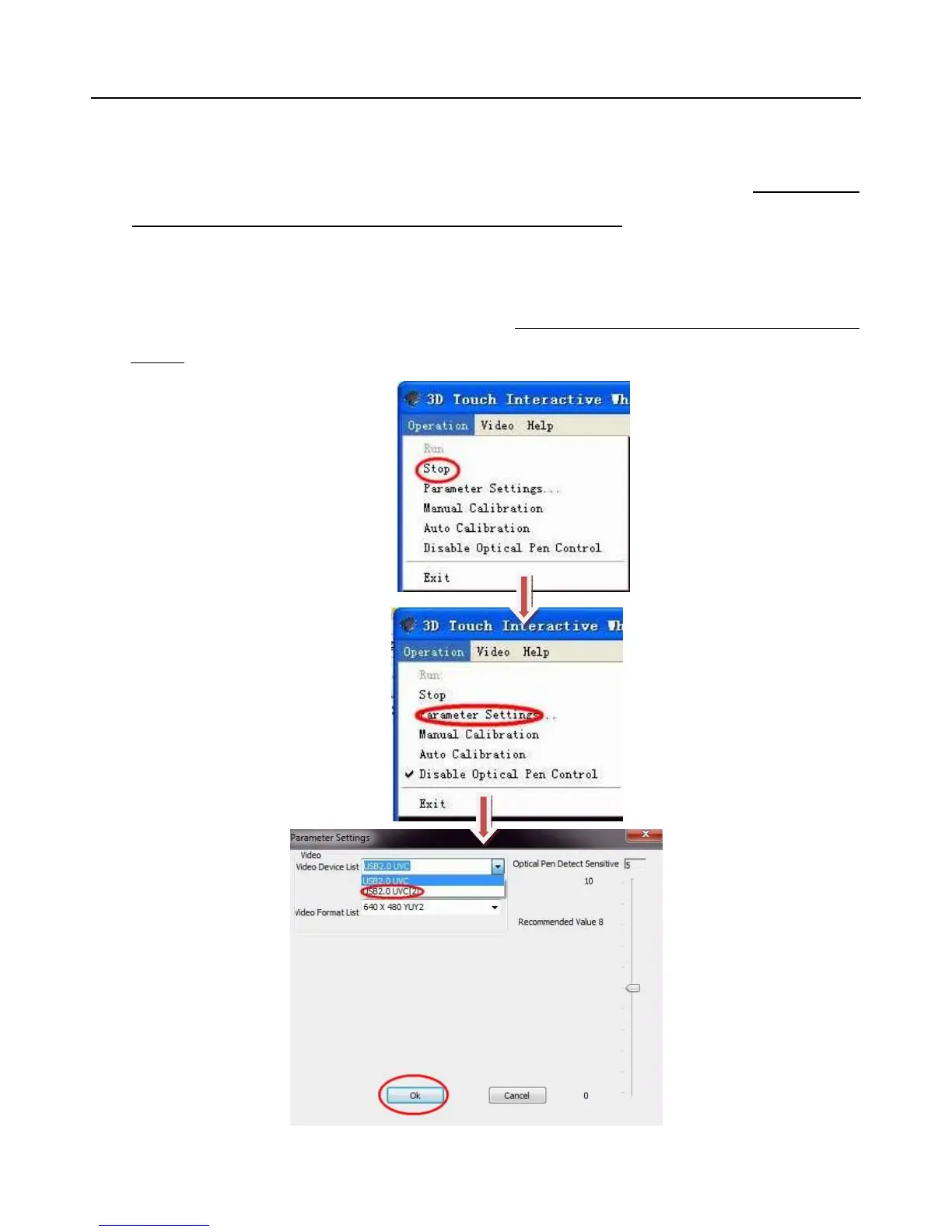
If the image in the viewing window is from other camera (this problem happens when other camera device is
working), please follow this guide:



 To Next Page