Pay special attention that the four dimples where the
crumb tray sits are clean. If anything sits in those
dimples, the Glowforge printer may not be able to
focus correctly, and the camera will be out of alignment.
Return the crumb tray to the original location, sliding it
in horizontally. Be careful not to contact the printer head
or the rails. When it is in place, the tray’s four feet will
drop into the small dimples and it will no longer slide.
Things that need wiping
After every 40 hours of printing, use ZEISS lens cleaning wipes (available on Amazon and many
other stores) to clean the cameras, laser lens, and windows. This will keep the unit working properly
and prevent permanent damage to your unit.
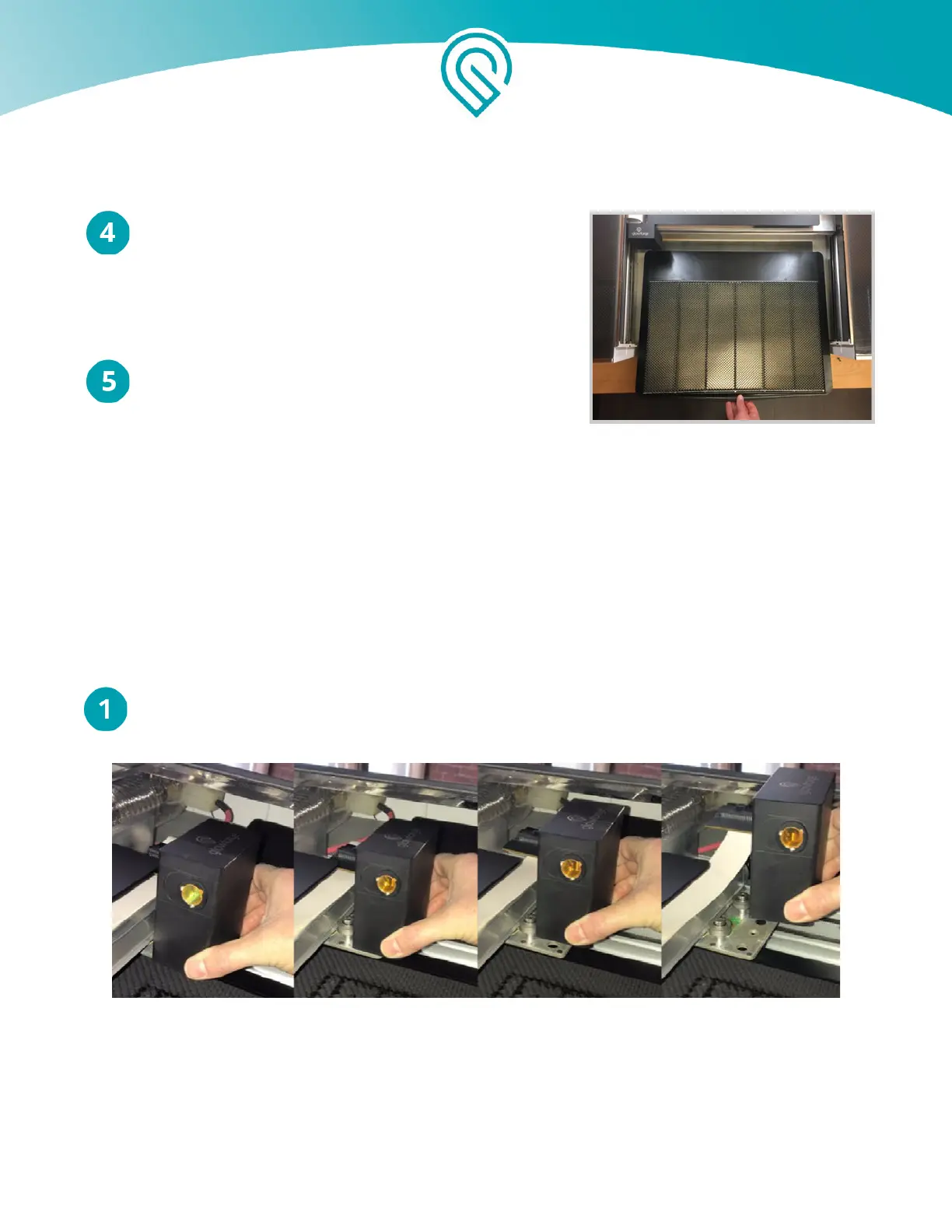
Turn off your Glowforge. Grasp the printer head as shown, and pull gently up and back to
disengage the magnets and remove it.
Copyright Glowforge, Inc. 2020 41



 To Next Page