R 22MAR23
PART No.
SHEET
ALL INFORMATION WITHIN ABOVE
BORDER TO BE PRINTED EXACTLY
AS SHOWN ON 8.5 x 11 WHITE 16
POUND
NON-BOND RECYCLABLE
PAPER.
PRINT ON BOTH SIDES,
EXCLUDING TEMPLATES. TO BE
UNITED IN ACCORDANCE
WITH
GMCCA SPECIFICATIONS.
Date Revision Auth DR
Title
Ultium PowerUP Charge Station
User Manual
13DEC22 Fourth Re l SAR
MB
22MAR23
Fifth Re l
SAR
MB
84922762
29NOV22
Third Re l
SAR
AH
15
EN
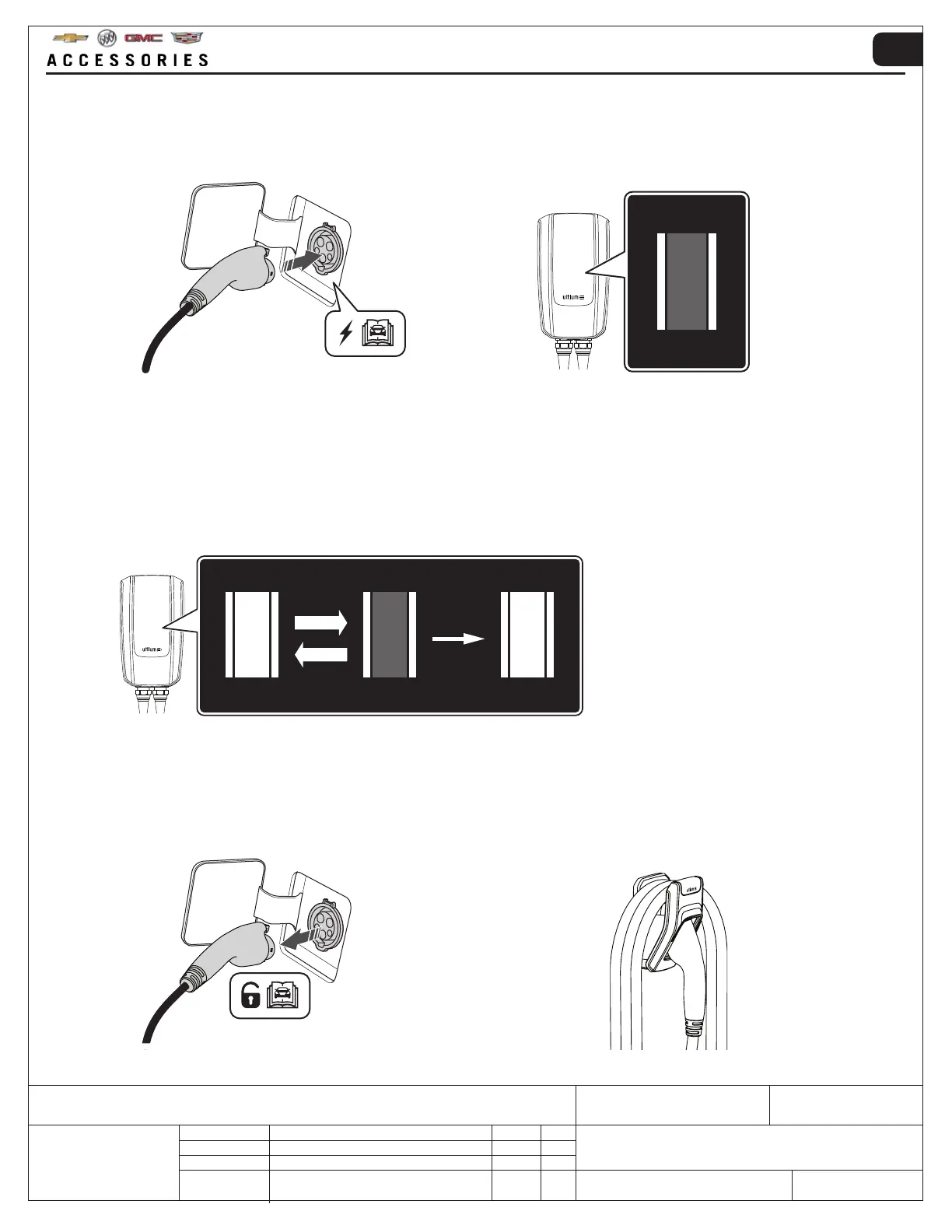
10. When the vehicle is fully charged:
• Unlock the charging plug from the vehicle charging outlet as per the vehicle owner’s manual
• Loosely wrap the charging cable on the wall mount so that the cable doesn’t come into contact with the floor
• Put the charging plug back into the holster
9. During charging:
• ZONE 1 → Flashing
• ZONE 2 → Constant light
When the charge is complete
• ZONE 1 → Constant light
• ZONE 2 → Constant light
8. FULLY UNCOIL THE CHARGING CABLE BEFORE CONNECTING.
When the charging plug is connected to the vehicle charging outlet correctly, ZONE 2 on the indicator panel will
show a constant light. The Ultium PowerUP Charge Station will be waiting for a smart mobile device to authorize a
charging session or the pre-programmed charging schedule to start.



 To Next Page