R 22MAR23
PART No.
SHEET
ALL INFORMATION WITHIN ABOVE
BORDER TO BE PRINTED EXACTLY
AS SHOWN ON 8.5 x 11 WHITE 16
POUND
NON-BOND RECYCLABLE
PAPER.
PRINT ON BOTH SIDES,
EXCLUDING TEMPLATES. TO BE
UNITED IN ACCORDANCE
WITH
GMCCA SPECIFICATIONS.
Date Revision Auth DR
Title
Ultium PowerUP Charge Station
User Manual
13DEC22 Fourth Re l SAR
MB
22MAR23
Fifth Re l
SAR
MB
84922762
29NOV22
Third Re l
SAR
AH
14
EN
7. To charge, refer to the vehicle owner's manual to find the charging outlet location and how to correctly connect the
Ultium PowerUP Charge Station to the vehicle.
Before connecting the Ultium PowerUP Charge Station to the vehicle, make sure the electric power/voltage is
suitable, according to the vehicle owner's manual.
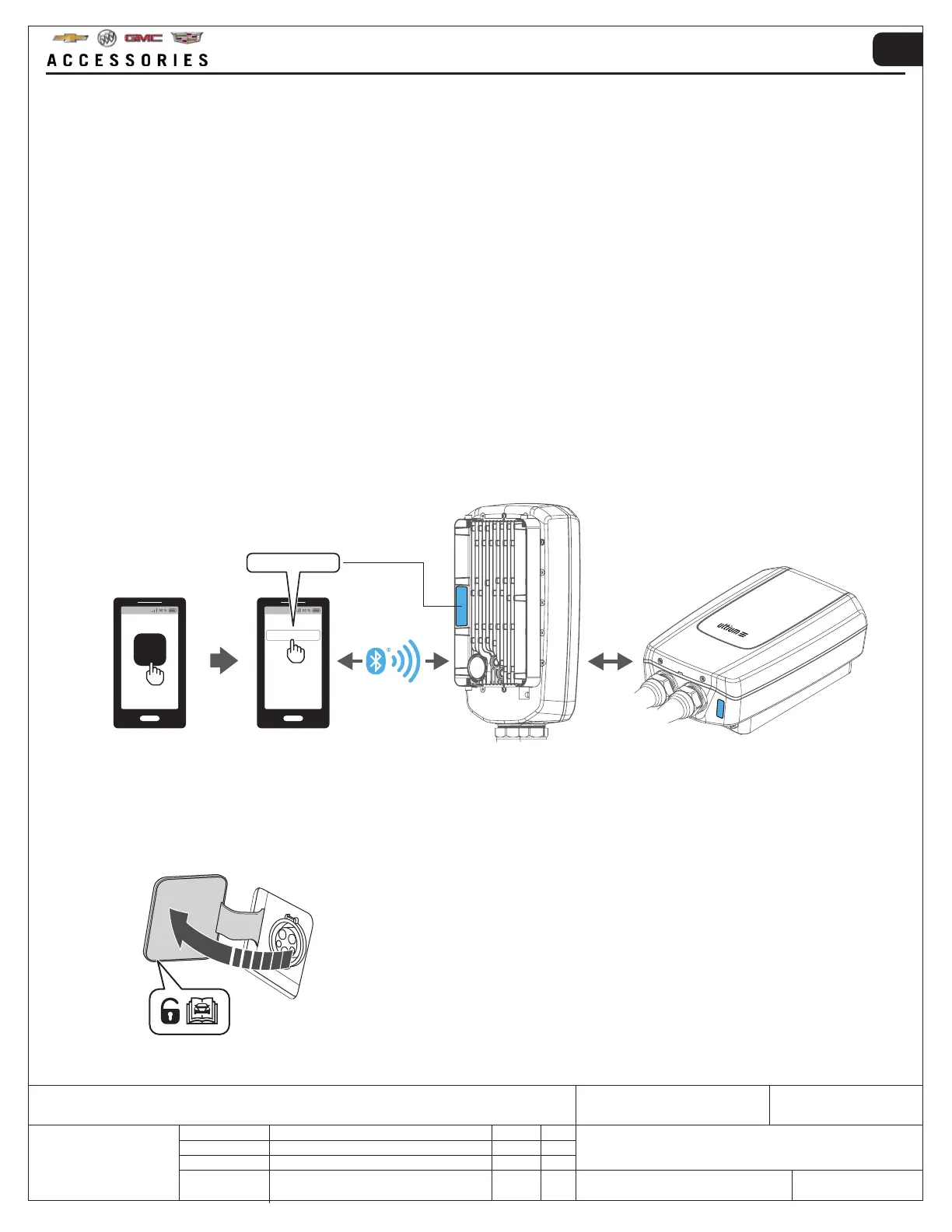
6. When connecting a smart mobile device to the Ultium PowerUP Charge Station, enter the Bluetooth
®
pairing code.
The last six numbers of the Bluetooth
®
pairing code are found on the rear and bottom of the Ultium PowerUP Charge
Station.
After pairing, all features of GM My Brand App can be used, including setting the Ultium PowerUP Charge Station
operating amperage (default operating amperage 6 Amp)
PowerUP_XXXXXX
PowerUP_XXXXXX
5.
To pair the smart mobile device, the Ultium PowerUP Charge Station must not be connected to a vehicle.
The pairing mode is always active.
When paired, the smart mobile device can be connected to the Ultium PowerUP Charge Station during any point of
use.
4. For non-GM vehicle owners, install the Ultium PowerUP App using the following steps:
• Android – On the smart mobile device go to “Play Store” → search for “Ultium PowerUP” → “Install”
• iOS – On the smart mobile device go to “App store” → search for “Ultium PowerUP” → “Get” → “Install”
• Other operating systems – Refer to the smart mobile device manual to correctly select the App store and install the
Ultium PowerUP App
To register an account and set up the Ultium PowerUP Charge Station, use the following steps:
• Open the Ultium PowerUP App → Create an account, and sign in → Go to “Homepage” → select “Add New
Charger” to set up the Ultium PowerUP Charge Station


 To Next Page
 Loading...


