R 22MAR23
PART No.
SHEET
ALL INFORMATION WITHIN ABOVE
BORDER TO BE PRINTED EXACTLY
AS SHOWN ON 8.5 x 11 WHITE 16
POUND
NON-BOND RECYCLABLE
PAPER.
PRINT ON BOTH SIDES,
EXCLUDING TEMPLATES. TO BE
UNITED IN ACCORDANCE
WITH
GMCCA SPECIFICATIONS.
Date Revision Auth DR
Title
Ultium PowerUP Charge Station
User Manual
13DEC22 Fourth Re l SAR
MB
22MAR23
Fifth Re l
SAR
MB
84922762
29NOV22
Third Re l
SAR
AH
19
EN
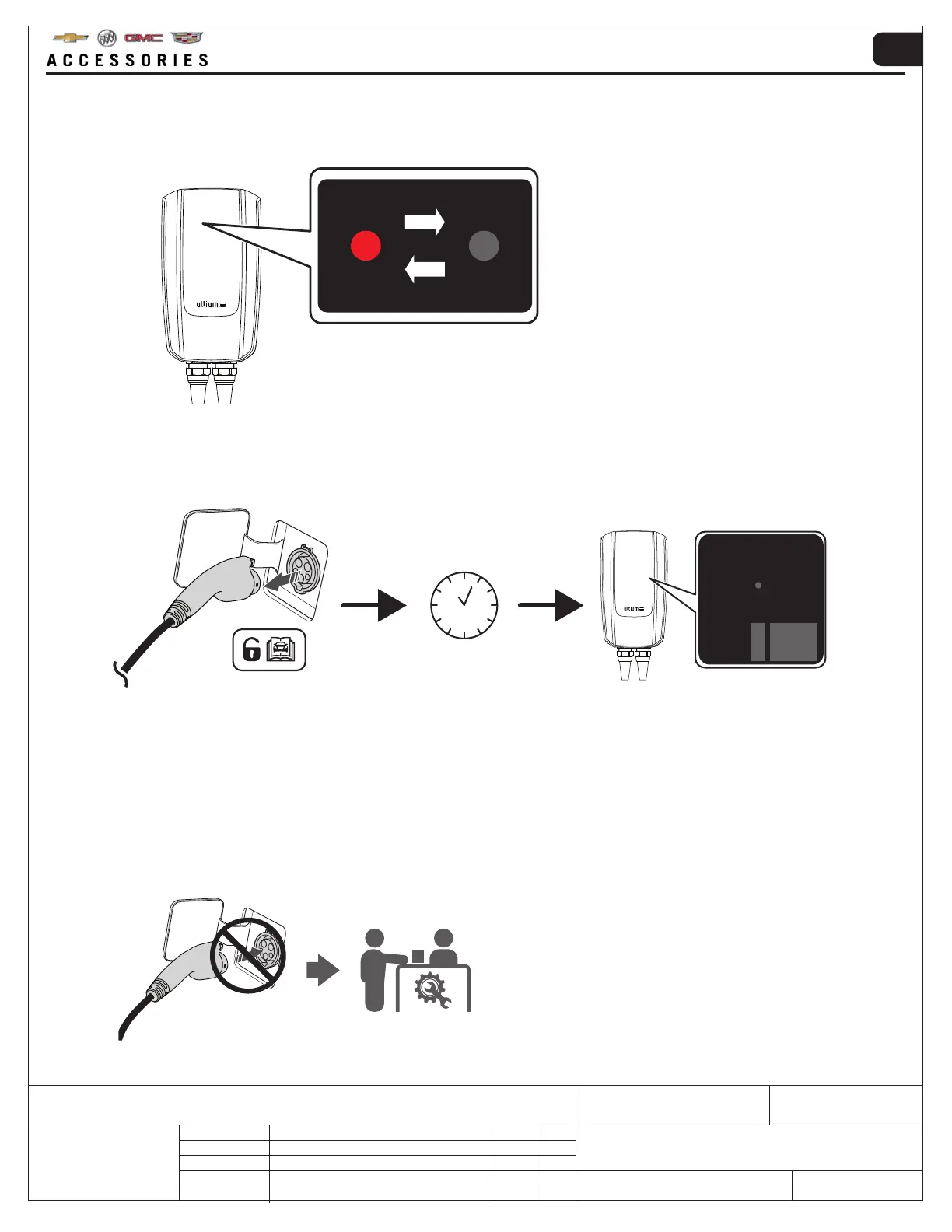
1. If ZONE 3 indicates a flashing light, as shown below, it means that a resettable error has occurred.
7.3 MANUALLY RESETTABLE ERROR
2. • Remove the charging plug from the vehicle’s outlet
• Wait for the ZONE 3 light to stop flashing
• Reconnect the charging plug to the vehicle's outlet
3. If the error still appears after a maximum of 3 attempts → check the mobile app for overheating errors → allow the
Ultium PowerUP Charge Station to cool down.
If the error is still present, contact the manufacturer dealership or sales point (refer to SUPPORT section for further
information).
!CAUTION: DO NOT attempt to connect the Ultium PowerUP Charge Station to the vehicle.



 To Next Page