R 22MAR23
PART No.
SHEET
ALL INFORMATION WITHIN ABOVE
BORDER TO BE PRINTED EXACTLY
AS SHOWN ON 8.5 x 11 WHITE 16
POUND
NON-BOND RECYCLABLE
PAPER.
PRINT ON BOTH SIDES,
EXCLUDING TEMPLATES. TO BE
UNITED IN ACCORDANCE
WITH
GMCCA SPECIFICATIONS.
Date Revision Auth DR
Title
Ultium PowerUP Charge Station
User Manual
13DEC22 Fourth Re l SAR
MB
22MAR23
Fifth Re l
SAR
MB
84922762
29NOV22
Third Re l
SAR
AH
3
EN
1. IMPORTANT SAFETY INSTRUCTION
!WARNING: Use the Ultium PowerUP Charge Station according to GM and company instructions as detailed in the
supplied user manuals, to avoid RISKS OF FIRE, ELECTRIC SHOCK, or injury to persons.
!WARNING: Read and understand the supplied ‘Ultium PowerUP Charge Station Safety Manual’. If you are uncertain
about any aspect of the installation, consult a qualified electrician.
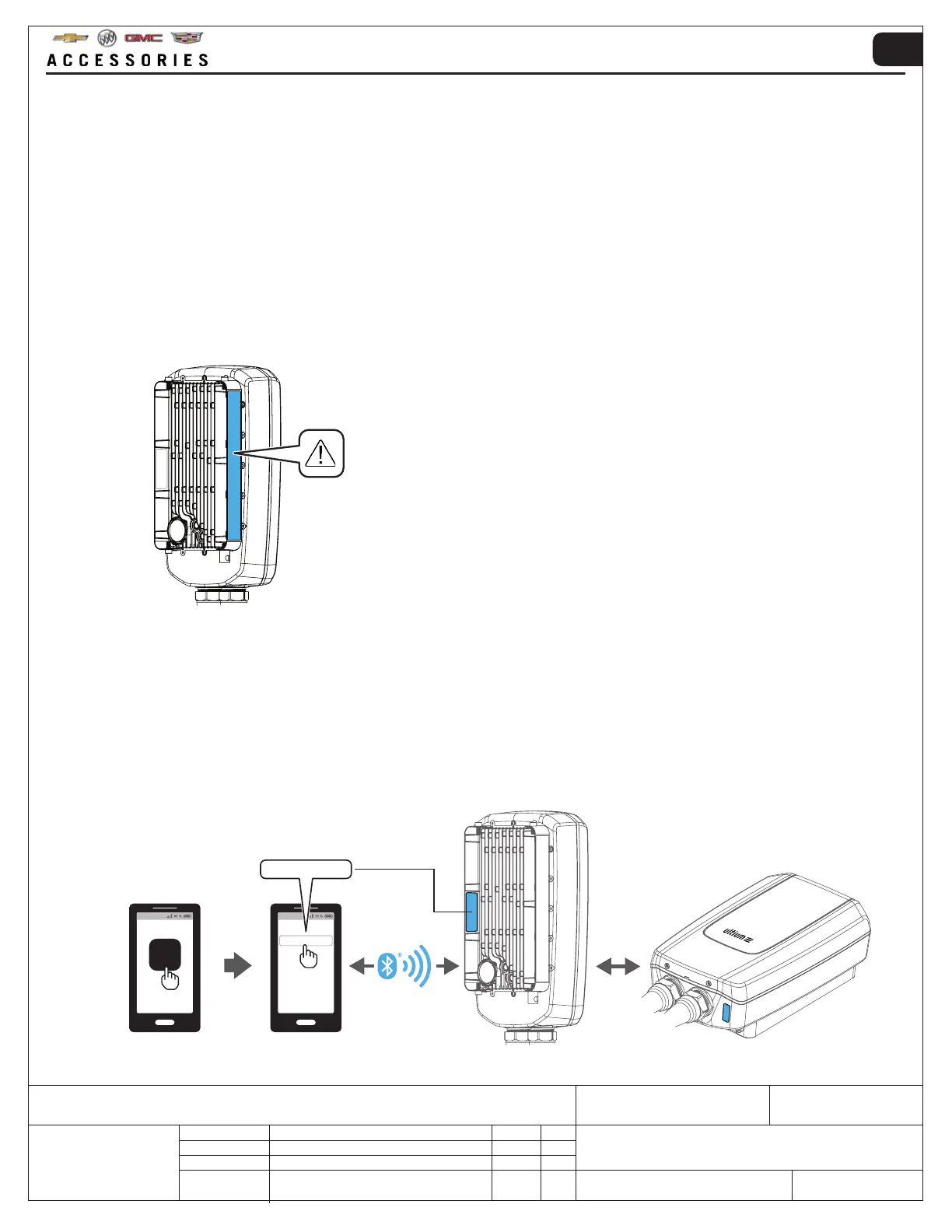
!WARNING: Read and understand the fitted safety information label before attempting installation or operation of
the Ultium PowerUP Charge Station. DO NOT attempt to remove the safety information label which can be located in the
position shown below.
2. GENERAL
• This Ultium PowerUP Charge Station is designed for charging of Electrical Vehicles (EVs) only. See the vehicle
owner's manual for more information.
• Remember to save the Bluetooth
®
pairing code, this is required to connect the unit to the mobile app. The last six
numbers of the Bluetooth
®
pairing code can be found on the rear and bottom of the Ultium PowerUP Charge Station.
• NOTE: Unless paired via Bluetooth
®
the Ultium PowerUP Charge Station will operate at 6 Amp ONLY. Operating
amperage can be changed via the GM MyBrand / Ultium app.
PowerUP_XXXXXX
PowerUP_XXXXXX



 To Next Page