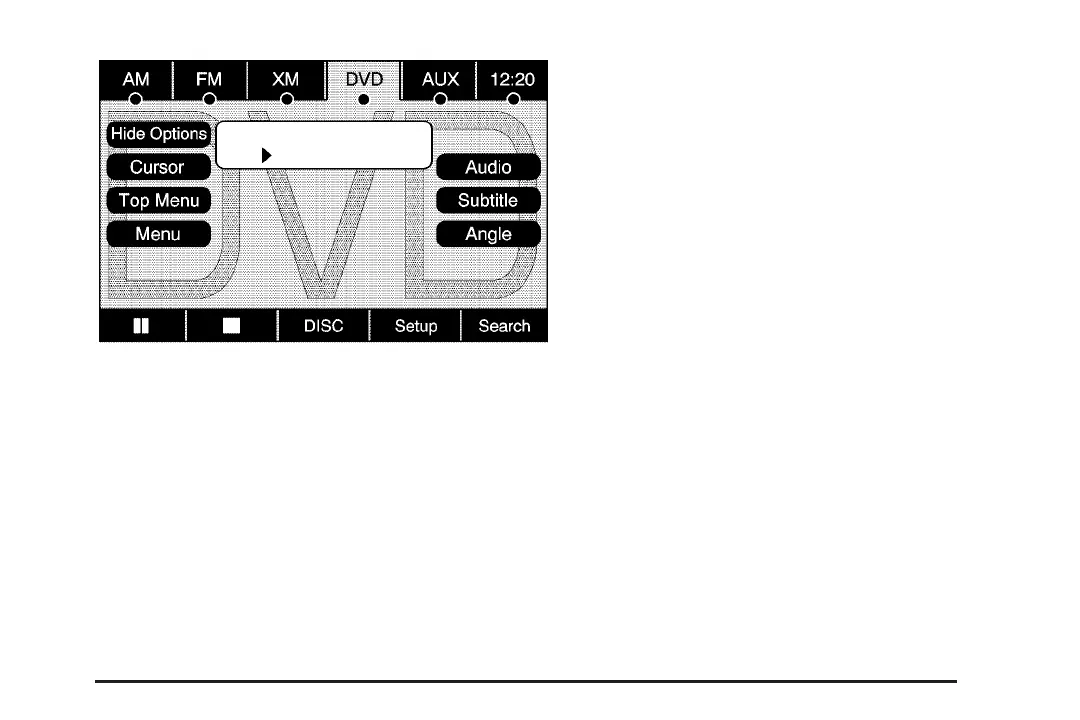
Hide Options: Select this screen button to
remove all menu options from the display, except
Options and Cursor.
Top Menu: Select this button to display the first
menu of the DVD. This is not available on all DVDs.
Menu: Select this button to display the DVD menu
of the current area of the DVD that is playing. This
button is not available for DVD audio.
Audio: Select this button to display the audio
options. Select the audio options that best improve
sound quality. This is not available on all DVDs
or when the DVD is stopped. This button may not
be available for some DVD audio discs. See
“Fading With a Bose
®
Surround Sound System”
later in this section.
Subtitle: Select this button to play the video with
subtitles. This is not available on all DVDs or
when the DVD is stopped. This button is
not available for DVD audio.
Angle: Select this button to adjust the viewing
angle of the DVD. Repeatedly select this button to
toggle through the angles. This is not available
on all DVDs or when the DVD is stopped.
This button is not available for DVD audio.
q (Previous Scene): Select this button to go to
the previous scene. This button does not work
when the DVD is stopped. This button is not
available for DVD video.
r (Next Scene): Select this button to go to the
next scene. This button does not work when
the DVD is stopped. This button is not available
for DVD video.
79














 To Next Page