GMC Acadia/Acadia Denali Owner Manual (GMNA-Localizing-U.S./Canada/Mexico-18281917) - 2025
Driving and Operating 231
If the Park Assist System does not activate due
t
o
a temporary condition, a system off message
is shown on the display. This can occur under
the following conditions:
•
The driver has disabled the system.
•
An object is currently blocking the rear
sensors (for example, bike rack, tailgate,
trailer hitch, etc.). Once the object is
removed, Park Assist will return to
normal operation.
•
The bumper is damaged. Take the vehicle to
your dealer for repairs.
•
Other conditions, such as vibrations from
ajackhammer or the compression of air
brakes on avery large truck, are affecting
system performance.
Automatic Parking Assist (APA)
If equipped, APA searches for and steers the
vehicle into parallel and perpendicular parking
spots. A display and audible beeps help to guide
parking maneuvers.
Do not use APA when towing atrailer.
{ Warning
A
PA may not always detect objects in
th
e parking space, objects that are not
rigid (e.g. shrubs and chain-link fences),
objects below the bumper, objects high off
the ground (e.g. flatbed trucks), hanging
objects, objects below ground level (e.g.
large potholes), or moving objects (e.g.
pedestrians, cyclists, vehicles). Always
verify that the parking space is appropriate
for parking avehicle. APA may not respond
to changes in the parking space, such
as movement of an adjacent vehicle, or
aperson or object entering the parking
space. APA does not detect or avoid traffic
that is behind or alongside of the vehicle.
Always be prepared to stop the vehicle
during the parking maneuver.
Press switch L on the infotainment screen to
enable the system to search for a parking space
that is large enough and within 1.5 m (5 ft) of the
vehicle. The vehicle speed must be below 30
km/h (18 mph). The system cannot:
•
Detect whether it is alegal parking space.
•
Pa
rk exactly lined up with the vehicle next
to it if the spot is approached at an angle or
if the parking space is angled.
•
Park exactly centered in aspot that is
marked too large.
•
Always detect short curbs.
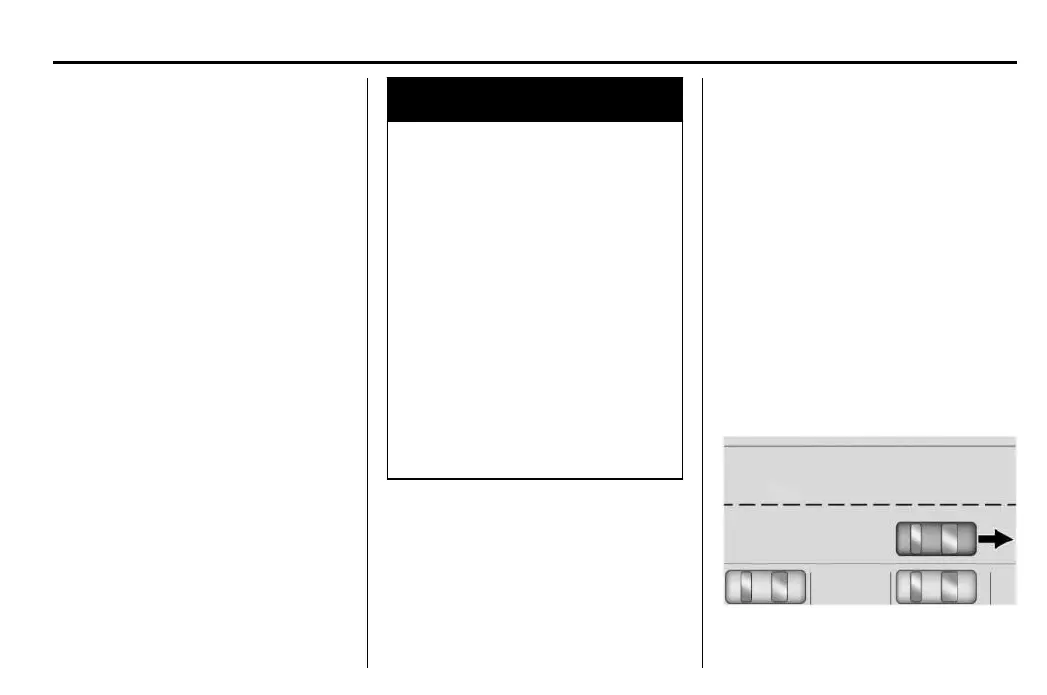
When enabled, APA searches for parallel
parking spaces to the right of the vehicle. To
search for a parking space to the left, turn on the
left turn signal or, if available, change the side
selection in the infotainment display.
To switch the parking mode between
parallel and perpendicular, touch icons on
screen during the search process or, if
available, change the parking mode in the
infotainment display.
After completely passing a large enough space,
a
n audible beep occurs.


 To Next Page