In Brief 11
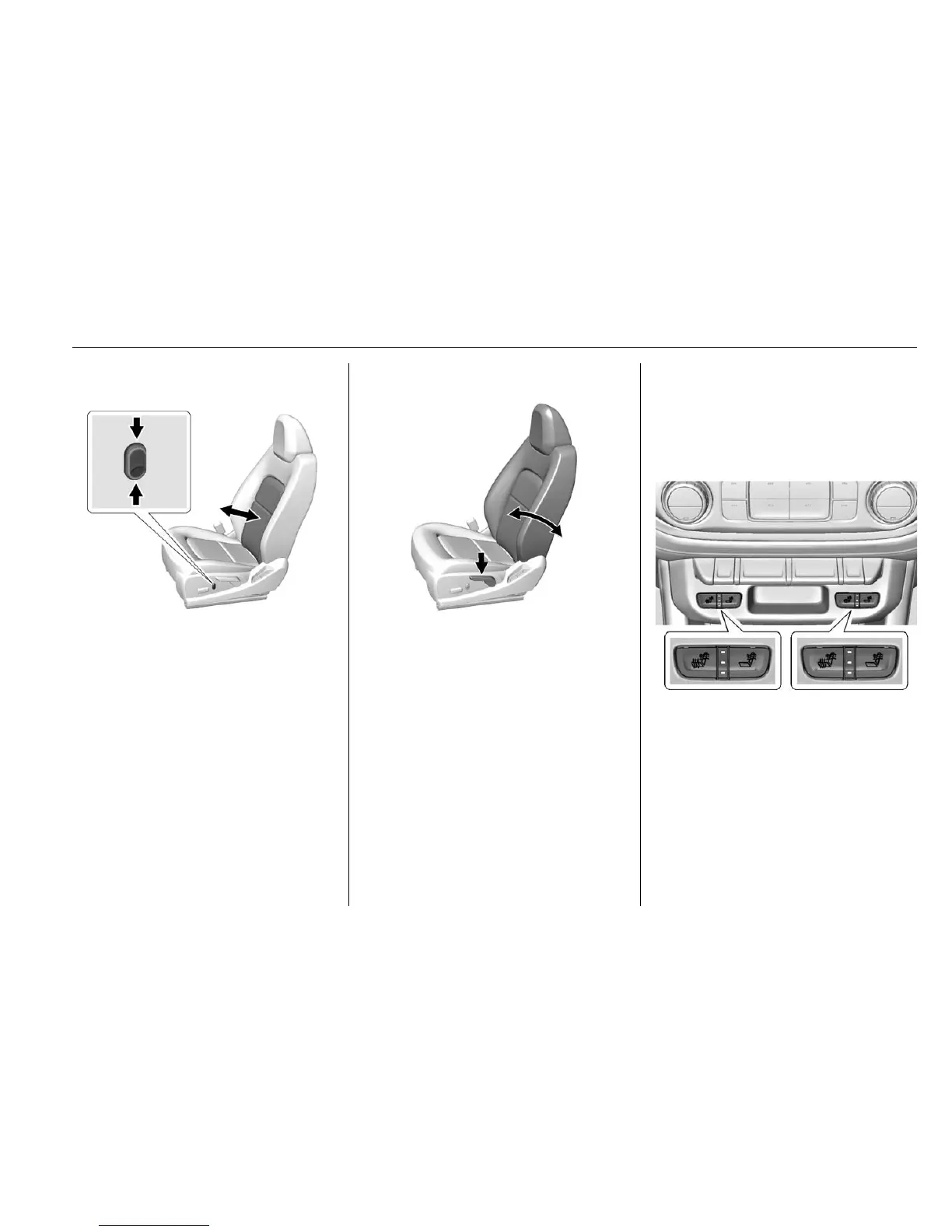
Power Lumbar
If equipped, press and hold the top
of the control to increase lumbar
support. Press and hold the bottom
of the control to decrease lumbar
support. Release the control when
the desired level of support is
reached.
See Lumbar Adjustment 0 46
ii .
Reclining Seatbacks
To recline:
1. Lift the lever.
2. Move the seatback to the
desired position, and then
release the lever to lock the
seatback in place.
3. Push and pull on the seatback
to make sure it is locked.
To return the seatback to the upright
position:
1. Lift the lever fully without
applying pressure to the
seatback.
2. Push and pull on the seatback
to make sure it is locked.
See Reclining Seatbacks 0 46
ii .
Heated Seats
If equipped, the buttons are on the
center stack. To operate, the engine
must be running.
This feature will heat the cushion
and back of the seats.
Press
+ to heat the driver or
passenger seatback only.
Press
z to heat the driver or
passenger cushion and seatback.


 To Next Page