Infotainment System 151
Overview
Infotainment System Overview
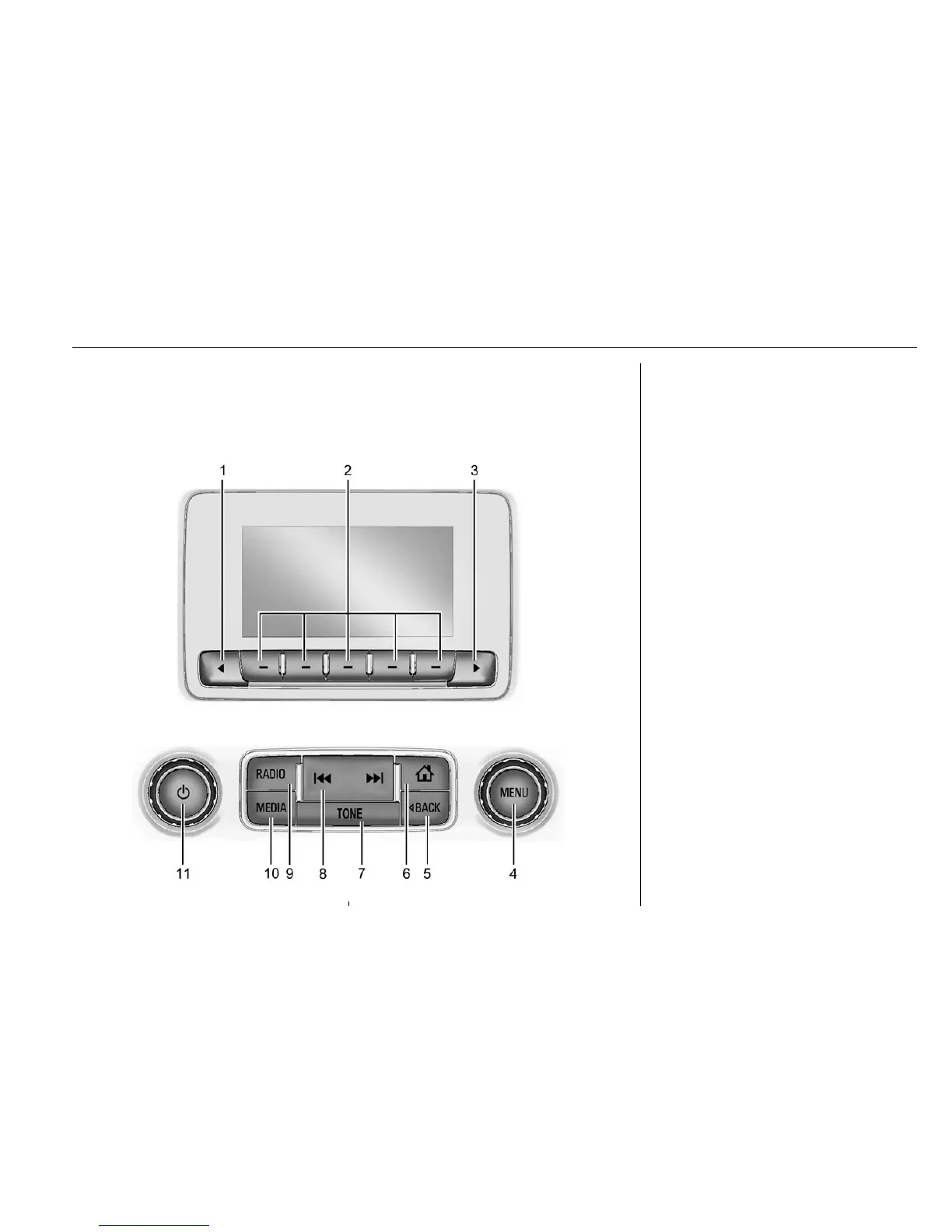
The infotainment system is controlled by using the buttons on the faceplate.
1. q (Favorite Pages)
.
Press to scroll down
through the favorite pages
for each source.
2. Favorites/Soft Keys
.
Press to select favorite
stations.
.
Press and hold to save
favorite stations.
.
Press to select a screen
button when displayed.
3.
r (Favorite Pages)
.
Press to scroll up through
the favorite pages for each
source.
4. MENU
.
Press to access the menu
for the current audio
source.
.
Press to select the
highlighted menu option.
.
Turn to scroll through a list.
.
Turn to manually select a
station.


 To Next Page