15
F
Optional equipment
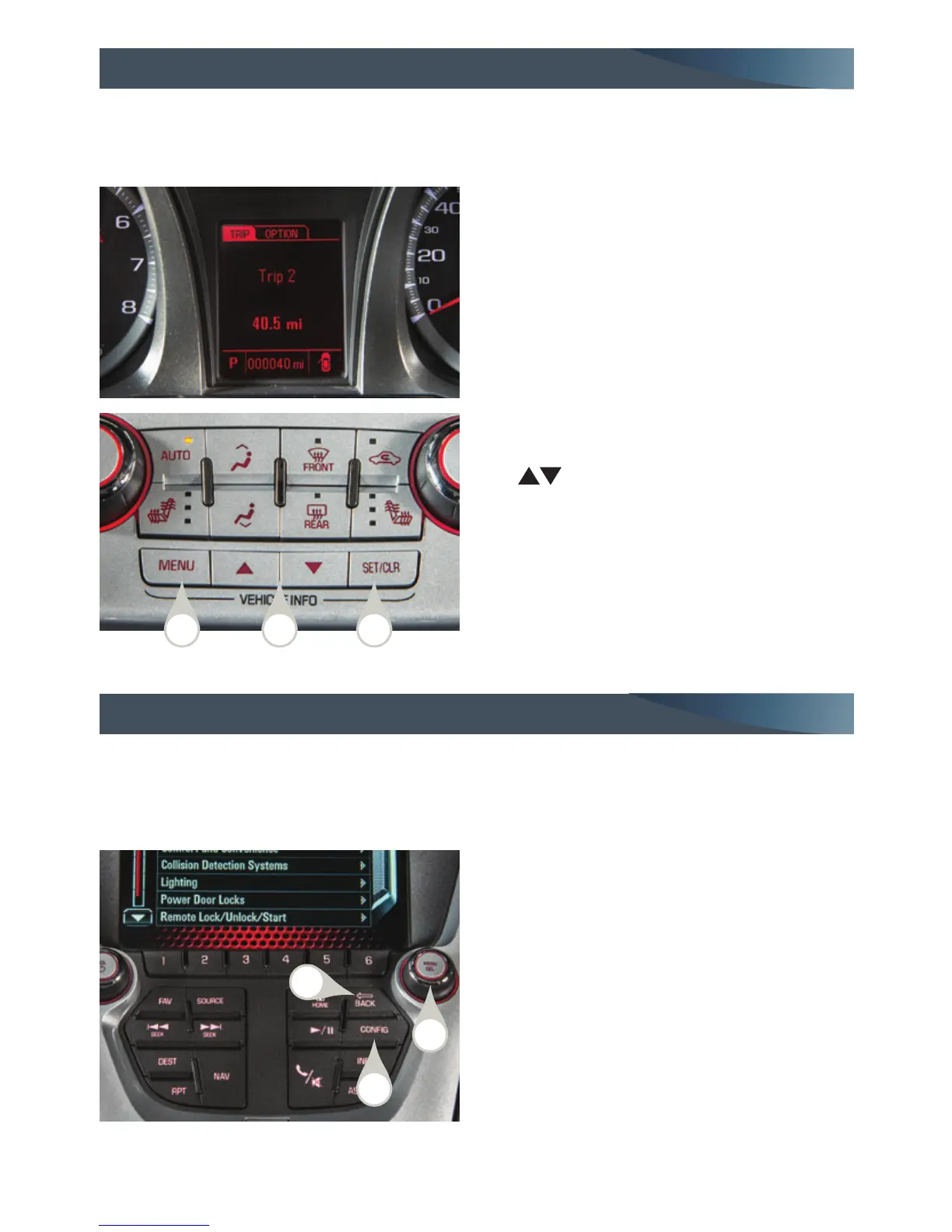
Driver Information Center
DIC Controls
A. MENU
Press to display the:
– Vehicle Information menu (units,
tire pressures, remaining oil life).
– Trip/Fuel menu (digital speed-
ometer, trip odometers, fuel range,
average fuel economy, instanta-
neous fuel economy, average vehicle
speed, timer, OnStar Turn-by-Turn
guidance
F
).
B.
Press the up or down button to scroll
through the items of each menu.
C. SET/CLR
Press to set or clear the displayed menu
item or warning message.
The Driver Information Center (DIC) on the instrument cluster displays a variety of vehicle
system information and warning messages.
TIP: To display an easy-to-read digital speedometer, open the Trip/Fuel menu and scroll to tab 1.
See Instruments and Controls in your Owner Manual.
Vehicle Personalization
1. Press the CONFIG button (A) to enter
the Conguration Settings menu.
2. Turn the MENU knob (B) to highlight
Vehicle Settings, and then press the
knob to select it; or use the screen
buttons.
3. Turn the MENU knob to highlight the
desired menus and settings, and then
press the knob to select the highlighted
item; or use the screen buttons.
4. Press the BACK button (C) to move back
within a menu.
See Instruments and Controls in your Owner Manual.
Vehicle personalization items may include Climate and Air Quality, Comfort and
Conven ience, Collision/Detection Systems, Language, Lighting, Power Door Locks, Remote
Lock/Unlock/Start, or Factory Settings. Use the controls on the audio system to change
the settings.
A CB
A
B
C















 To Next Page