Cadillac XT5 Owner Manual (GMNA-Localizing-U.S./Canada/Mexico-
16406251) - 2023 - CRC - 3/25/22
Driving and Operating 283
further back your vehicle will
follow a vehicle detected
ahead. Consider traffic and
weather conditions when
selecting the following gap.
The range of selectable gaps
may not be appropriate for all
drivers and driving conditions.
Changing the gap setting
automatically changes the
alert timing sensitivity (Far,
Medium, or Near) for the
Forward Collision Alert (FCA)
feature. See Forward Collision
Alert (FCA) System 0 303.
Alerting the Driver
With Head-Up Display
Without Head-Up Display
If ACC is engaged, driver
action may be required when
ACC cannot apply sufficient
braking because of
approaching a vehicle too
rapidly.
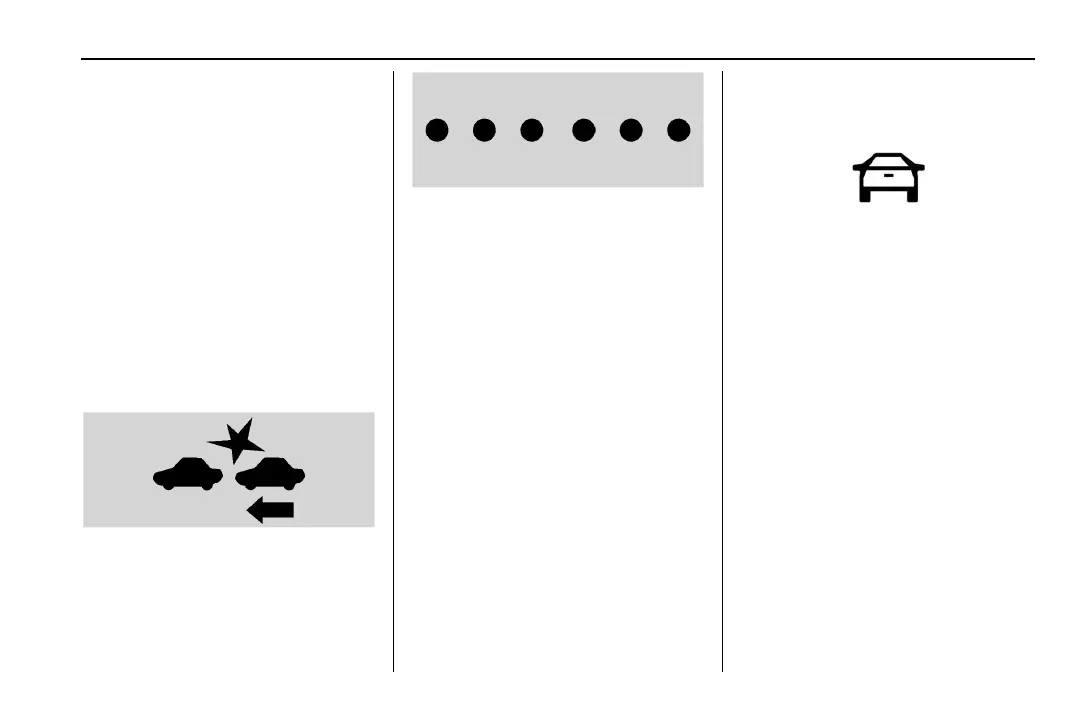
When this condition occurs,
the collision alert symbol will
flash on the windshield. Either
eight beeps will sound from
the front, or both sides of the
Safety Alert Seat will pulse
five times. Touch the Settings
icon on the infotainment home
page. Select “Vehicle” to
display the list of available
options and select “Collision/
Detection Systems”.
See Defensive Driving 0 235.
Approaching and Following a
Vehicle
The vehicle ahead indicator is
in the instrument cluster and
HUD display, if equipped.
The vehicle ahead indicator
only displays when a vehicle is
detected in your vehicle’s path
moving in the same direction.
If this symbol is not displaying,
ACC will not respond to or
brake to vehicles ahead.
ACC automatically slows the
vehicle down and adjusts
vehicle speed to follow a
detected vehicle ahead at the
selected follow gap. The
vehicle speed increases or
decreases to follow a
detected vehicle in front of
your vehicle when that vehicle
is traveling slower than your











 To Next Page