EasyManua.ls Logo

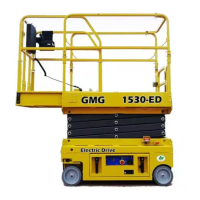
GMG 1530-ED - User Manual

GMG 1530-ED
32 pages
Print Icon
To Next Page IconTo Next Page
Loading...
Global Machinery Group, Inc.
Operator’s Manual
Specifications . . . . . . . . . . . . . . . . . . . . . . . . . . . . . . . . . . . . . . . . . . . . inside cover
Introduction . . . . . . . . . . . . . . . . . . . . . . . . . . . . . . . . . . . . . . . . . . . . . . . . . . . . . . . 1
Safety. . . . . . . . . . . . . . . . . . . . . . . . . . . . . . . . . . . . . . . . . . . . . . . . . . . . . . . . . . . . . . 2
California Proposition 65 Warning . . . . . . . . . . . . . . . . . . . . . . . . . . . . . . . . . . . . . 2
Safety Alert Symbols . . . . . . . . . . . . . . . . . . . . . . . . . . . . . . . . . . . . . . . . . . . . . . . . . . 2
Electrocution Hazard. . . . . . . . . . . . . . . . . . . . . . . . . . . . . . . . . . . . . . . . . . . . . . . . . . 3
Tip-over Hazards. . . . . . . . . . . . . . . . . . . . . . . . . . . . . . . . . . . . . . . . . . . . . . . . . . . . . . 4
Fall Hazards. . . . . . . . . . . . . . . . . . . . . . . . . . . . . . . . . . . . . . . . . . . . . . . . . . . . . . . . . . . 5
Collision Hazards . . . . . . . . . . . . . . . . . . . . . . . . . . . . . . . . . . . . . . . . . . . . . . . . . . . . . 5
Additional Safety Hazards . . . . . . . . . . . . . . . . . . . . . . . . . . . . . . . . . . . . . . . . . . . . . 6
Battery Safety. . . . . . . . . . . . . . . . . . . . . . . . . . . . . . . . . . . . . . . . . . . . . . . . . . . . . . . . . 6
Controls & Components . . . . . . . . . . . . . . . . . . . . . . . . . . . . . . . . . . . . . . . . . . . . . 7
Component Locations . . . . . . . . . . . . . . . . . . . . . . . . . . . . . . . . . . . . . . . . . . . . . . . . 7
Platform Controls . . . . . . . . . . . . . . . . . . . . . . . . . . . . . . . . . . . . . . . . . . . . . . . . . . . . . 8
Lower Controls . . . . . . . . . . . . . . . . . . . . . . . . . . . . . . . . . . . . . . . . . . . . . . . . . . . . . . . 9
Workplace Inspection . . . . . . . . . . . . . . . . . . . . . . . . . . . . . . . . . . . . . . . . . . . . . . 10
Operating Instructions & Function Tests. . . . . . . . . . . . . . . . . . . . . . . . . . . . . 11
Prestart . . . . . . . . . . . . . . . . . . . . . . . . . . . . . . . . . . . . . . . . . . . . . . . . . . . . . . . . . . . . . . 11
Functions Test . . . . . . . . . . . . . . . . . . . . . . . . . . . . . . . . . . . . . . . . . . . . . . . . . . . . . . . 11
Operating Instructions . . . . . . . . . . . . . . . . . . . . . . . . . . . . . . . . . . . . . . . . . . . . . . . 14
Shutdown Procedure . . . . . . . . . . . . . . . . . . . . . . . . . . . . . . . . . . . . . . . . . . . . . . . 19
Battery Charging. . . . . . . . . . . . . . . . . . . . . . . . . . . . . . . . . . . . . . . . . . . . . . . . . . . . . 19
Maintenance . . . . . . . . . . . . . . . . . . . . . . . . . . . . . . . . . . . . . . . . . . . . . . . . . . . . . . 20
Routine Maintenance . . . . . . . . . . . . . . . . . . . . . . . . . . . . . . . . . . . . . . . . . . . . . . . . 21
Frequent and Annual Maintenance . . . . . . . . . . . . . . . . . . . . . . . . . . . . . . . . . . . 21
Lubrication . . . . . . . . . . . . . . . . . . . . . . . . . . . . . . . . . . . . . . . . . . . . . . . . . . . . . . . . . . 22
Pre-Start Inspection Checklist . . . . . . . . . . . . . . . . . . . . . . . . . . . . . . . . . . . . . . . . 23
Frequent Inspection Checklist . . . . . . . . . . . . . . . . . . . . . . . . . . . . . . . . . . . . . . . . 24
Annual Inspection Report . . . . . . . . . . . . . . . . . . . . . . . . . . . . . . . . . . . . . . . . . . . . 25
Troubleshooting . . . . . . . . . . . . . . . . . . . . . . . . . . . . . . . . . . . . . . . . . . . . . . . . . . 26
Transport and Lifting Instructions . . . . . . . . . . . . . . . . . . . . . . . . . . . . . . . . . . 27
Loading . . . . . . . . . . . . . . . . . . . . . . . . . . . . . . . . . . . . . . . . . . . . . . . . . . . . . . . . . . . . . 27
Lifting Instructions . . . . . . . . . . . . . . . . . . . . . . . . . . . . . . . . . . . . . . . . . . . . . . . . . . . 29
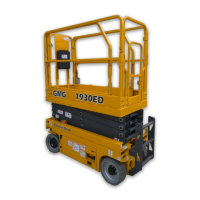
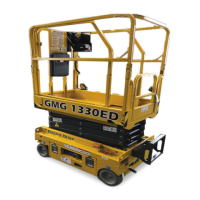
1330-ED / 1530-ED
1330-ED Serial # 213301001 - Up
1530-ED Serial # 215301001 - Up
1OP1330EN
February 2018

Other manuals for GMG 1530-ED

Questions and Answers

  • G
    George TravisSep 23, 2025
    What to do if my GMG Scissor Lifts has a drive enable switch failure at startup?
    • L
      Leon NunezSep 23, 2025
      If your GMG Scissor Lifts shows a drive enable switch failure at startup, it may be because the drive enable switch is on. Check the enable switch.
  • P
    pallisonAug 25, 2025
    What to do if my GMG Scissor Lifts display shows low battery voltage?
    • C
      chaleyAug 25, 2025
      If you see a low battery voltage warning on your GMG Scissor Lifts, it's likely the battery is discharged. The suggested solution is to charge the batteries.
  • D
    David LivingstonAug 25, 2025
    What should I do if my GMG Scissor Lifts indicates an overload cutout fault?
    • P
      Paul JonesAug 26, 2025
      If your GMG Scissor Lifts shows an overload cutout fault, especially in CE models, it means the platform is overloaded. You should reduce the platform load.
  • C
    Chris SuttonAug 26, 2025
    What to do if the weight reaches 99% of nominal value on GMG Scissor Lifts?
    • C
      Christina LongAug 27, 2025
      If the weight reaches 99% of the nominal value on your GMG Scissor Lifts, it indicates you're approaching maximum overload. Pay attention to the load.
  • A
    Angela KellySep 23, 2025
    What to do if my GMG Scissor Lifts has a joystick signal fault?
    • M
      michaeladamsSep 23, 2025
      If your GMG Scissor Lifts is showing a joystick signal fault, it means the joystick is not centered. You should repair or replace the joystick.
  • N
    nsmithSep 13, 2025
    What to check if my GMG Scissor Lifts shows a limit switch failure?
    • A
      Amanda FoleySep 13, 2025
      If your GMG Scissor Lifts indicates a limit switch failure, it could be due to the switch itself failing or an open circuit. Check the limit switch and look for any open circuits.
  • J
    jwardSep 12, 2025
    What causes a pothole protection switch failure in GMG Scissor Lifts?
    • D
      Debra LopezSep 12, 2025
      A pothole protection switch failure in GMG Scissor Lifts can be due to the switch failing or an obstruction in the pothole linkage. Check the pothole switches and remove any obstructions.
  • R
    rpattersonSep 12, 2025
    What does it mean when my GMG Scissor Lifts displays 'undefined configuration code'?
    • A
      Andrew ContrerasSep 12, 2025
      An 'undefined configuration code' error on your GMG Scissor Lifts means there's an error in the machine configuration code setting. Set the configuration code correctly.
  • M
    Monica LawrenceSep 4, 2025
    What should I check if my GMG Scissor Lifts has a down coil fault?
    • L
      Lori JonesSep 4, 2025
      If your GMG Scissor Lifts reports a down coil fault, it could be caused by a coil fault or an open coil circuit. Check the coil and the wiring.
  • G
    gfrySep 2, 2025
    What should I check if my GMG Scissor Lifts has a reverse coil fault?
    • J
      Justin BauerSep 2, 2025
      If your GMG Scissor Lifts reports a reverse coil fault, it could be caused by a coil fault or an open coil circuit. Check the coil and the wiring.

Summary

Specifications

Introduction

Safety

Safety Alert Symbols

Explains symbols used for safety information, including danger, warning, caution, and notice.

Electrocution Hazard

Details risks and precautions related to electrical hazards and minimum safe approach distances.

Tip-over Hazards

Outlines risks and prevention measures for machine instability, including overload and uneven surfaces.

Collision Hazards

Describes dangers of striking objects or personnel during operation and movement.

Controls & Components

Component Locations

Identifies major parts and their positions on the machine, such as platform, chassis, and lift cylinder.

Platform Controls

Details the controls and functions available at the platform, including the control handle and emergency stop.

Lower Controls

Describes the controls and functions at the base of the machine, including key switch and brake release.

Workplace Inspection

Operating Instructions & Function Tests

Prestart Procedures

Steps to perform before operating the machine, including inspections and system checks.

Function Testing

Tests to verify machine functions operate correctly before use, covering emergency stop, lift, and drive.

Driving and Slope Operations

Guidance on driving, including determining slope grade and operating on inclines.

Shutdown and Charging

Procedures for safely ending operation, including shutdown steps and battery charging.

Maintenance

Routine Maintenance

Operator tasks for daily checks and upkeep, as identified in the pre-start checklist.

Scheduled Maintenance

Tasks for qualified technicians, including frequent and annual inspections and service.

Lubrication

Procedures and specifications for lubricating machine components, including fluid types and intervals.

Inspection Checklists

Checklists for operators and technicians to ensure machine condition and proper function.

Troubleshooting

Machine Functions Not Operating

Steps to diagnose and resolve issues when machine functions fail, checking power, connections, and controls.

Transport and Lifting Instructions

Loading Procedures

Guidelines for preparing the machine for transport loading, ensuring safety and proper setup.

Winching and Towing

Steps for releasing brakes and preparing for towing or winching, including safety precautions.

Vehicle Loading Operations

Instructions for driving or winching the machine onto a transport vehicle, including forklift use.

Securing for Transport

Methods for properly securing the machine to a truck or trailer using chains or straps.

GMG 1530-ED Specifications

General IconGeneral
BrandGMG
Model1530-ED
CategoryScissor Lifts
LanguageEnglish

Related product manuals