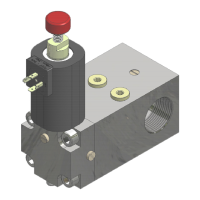
NGV A3 VALVE
INSTALLATION, USE AND MAINTENANCE
10991483 EN - 1.10 26.05.2023
3.5 MANAGEMENT µSD CARD PARAMETERS AND SOFTWARE
The NGV-A3 card allows the use of an external µSD-type memory.
The slot in the card is a Push/Pull type with mechanical retention.
The memory is locked by pushing it all the way in and unlocked by pushing the card all the way back in.
It is possible to insert the µSD memory with the card powered without damaging it; however, it is
recommended that, to avoid unwanted data loss, it be pulled out with the card unpowered or after disabling it
in the menu.
The formatting mode of the card is FAT32.
Within the memory you can save any data you consider necessary such as a copy of
manuals, technical tables etc., as long as the folders and paths required for operation
are not changed.
3.5.2.1 SAVE PARAMETERS TO A DATA FILE
In the µSD tab, parameters can be saved in files with distinct names.
The parameters are contained in a file with the name corresponding to the valve identification code.
(IDENTIF = nnnnnnnnnnn, maximum of 13 alphanumeric characters), which is not subject to format control (it is not
"case sensitive" e.g., it does not make a case-sensitive distinction).
The IDENTIF is contained in the flash memory of the circuit board and can be entered or changed for the use of a new
replacement board, or if you want to associate a board with a different valve and reset the parameters.
You can save a copy of all parameters, including changes made during installation, in the ...\usr folder, inside the µSD
card, using the PT01 programmer (menu 11.1)
With the use of the PT01 programmer, the name of the saved file is the same as the IDENTIF of the card so, since it is
not editable, each time it is saved, the previous file is replaced.
3.5.2.2 LOAD PARAMETERS FROM A DATA FILE
From µSD memory the user can load a file with the valve parameters:
Using the PT01 programmer, the original factory configuration can be loaded using menu 11.3 Load Fact, selecting from
the list of files in the ...\fact folder, or a different configuration can be loaded using menu 11.2 Load User, selecting from
the list of files saved in the ...\usr folder, if there are configurations previously saved by the user.
NOTE
The IDENTIF parameter of the card changes to become the same as the name of the loaded file. A
subsequent save as "user," will use this name by modifying the existing file in the µSD.
Using the 12 Sw Update menu (from PT01), you can update the NGV-A3 board software.
It is possible to select a software version (menu 12.1) and then start the update (menu 12.2).
During the update, the green and red LEDs will indicate the status:
Memory clearing time from 1 to 4s
Writing memory, time needed about 20s
intermittent red led
(2 fast + 1s pause)
Error in µSD: memory erase, memory write, file error, programming error
In the ...\log folder within the UPGRADE.TXT file, all software update operations are recorded.


 To Next Page
 Loading...