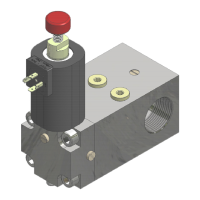
NGV A3 VALVE
INSTALLATION, USE AND MAINTENANCE
10991483 EN - 1.10 26.05.2023
9.3 UCM UP test
ENT=Start
Start the routine that allows to simulate the unintended car movement
in up direction
To use this function see the chapter Test in Up direction
This routine needs that the control panel works in normal mode (not inspection)
Press ENT to start the routine. Press ESC to end/exit.
9.4 UCM DN test
ENT=Start
Start the routine that allows to simulate the unintended car movement
in down direction
To use this function see the chapter Test in Down direction
This routine needs that the control panel works in normal mode (not inspection)
Press ENT to start the routine. Press ESC to end/exit.
9.5 VB test down
ENT=Start
USED ONLY TO PERFORM FACTORY TESTS
USED ONLY TO PERFORM FACTORY TESTS
Start routines to test if the system is working properly in the event of a
RUN/RDY failure.
To use this function see the chapter SIMULATION OF RDY AND RUN FAILURES.
Press ENT, select the error you want to simulate, press ENT again to activate the fault condition.
The fault conditions are; RUN always ON, RDY always OFF, RUN always OFF, RDY always ON.
NOTE
Exiting the test via ESC does not restore the NO TEST condition necessary for normal operation.
To return the parameter to normal operation, you must select NO TEST and confirm the condition by
pressing ENT before exit by pressing ESC.
Start the routine that allows to place the sensor S3 in the right
position.
The routine open the VB allowing to move the sensor in the exact lighting position.
To use this function see chapter 6 Adjusting of the sensors. Press ESC to end.
– 10 -ADVANCED PROGRAMMING
NGV-A3 VX.XRXXHX
10 ADVANCED
Entering the password it’s possible to read and modify the entire
parameters of the NGV valve
10.2 REGISTERS
R000 = +00000
View and/or edit advanced programming logs
– 11 - PROGRAMMING PARAMETERS
NGV-A3 VX.XRXXHX
11 PARAMS…
Save a program copy stored in the µSD memory.
Take care to perform it at the end of the installation test.
Load in the main card the program previously saved in the µSD with
the 11.1 option.
Load in the main card the factory configuration.
The user configuration is not included.
NGV-A3 VX.XRXXHX
12 SFTWARE UPG.
Allows to update the software card selecting it from different options.
Just contact GMV prior to proceed.


 To Next Page
 Loading...