jabra
1 sec.
3 sec.
21
How to connect
ENGLISH
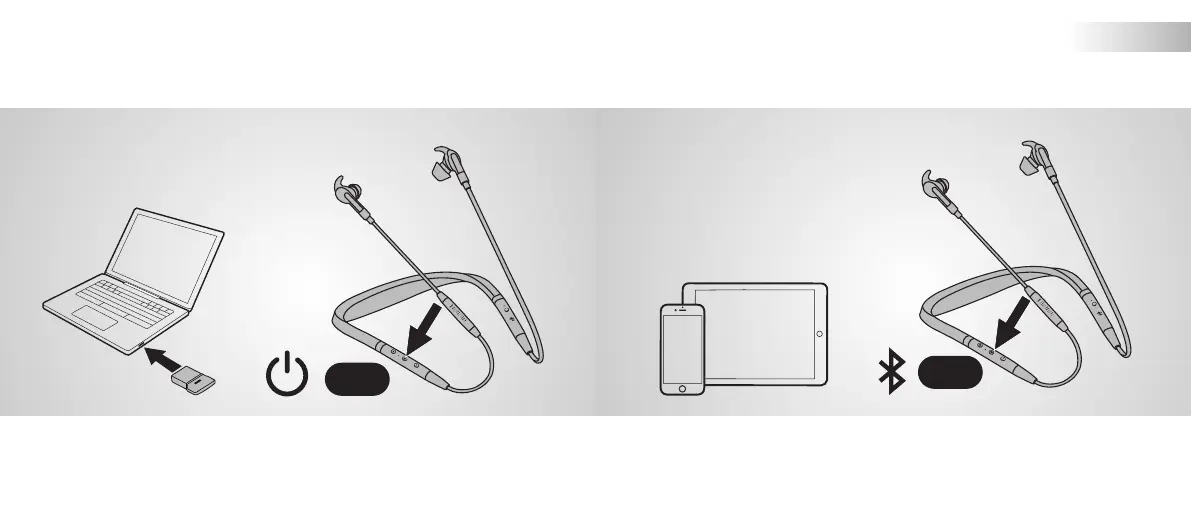
Plug the Bluetooth adapter (Jabra Link 370) into your computer, and
then power on the earbuds. The earbuds and the Jabra Link 370 are
pre-paired and ready for use.
Ensure the earbuds are powered o, and then hold (3 secs) the
Multi-function button until the LED flashes blue. Follow the voice
instructions to pair to your smartphone.
Connect to computer Pair to smartphone


 To Next Page